YuJa vs Canvas Studio: Which One for Interactive Video, and What Both Leave Out

YuJa Video Platform and Canvas Studio solve different problems, and the University of Alberta's side by side comparison puts it plainly: choose YuJa for lecture recording and long term storage of large libraries, choose Canvas Studio for video that lives closest to the Canvas page with comments and analytics in place. Neither gives you threaded timestamped discussion, peer review, or per moment analytics inside Canvas, which is why many institutions end up running one of them plus an engagement layer.
This post lays out the comparison as neutrally as the documentation allows, then names what both leave out.
What each does well
YuJa. The University of Alberta's YuJa vs Canvas Studio knowledge base page is the clearest practitioner source on this question, written by a campus that runs both. It recommends YuJa for lecture recording and long term storage of large libraries, citing a 150 GB storage quota and no limit on individual file size. Its built in editor has "robust features," and the page highlights "greater flexibility for caption editing and correction," which matters to any accessibility office.
On quizzing, YuJa is generous. Southern Illinois University Edwardsville's Adding a Quiz to a YuJa Video guide lists seven question types: multiple choice, select multiple, short answer, true or false, reflective pause (ungraded), decision point and fill in the blank. Points per question can be changed from the default of 1 and hints can be added.
Canvas Studio. Studio's advantage is proximity. UAlberta describes it as "more closely integrated with Canvas environment," with an interactive comment system and analytics on the same page where videos are posted. Sharing groups let instructors and admins copy, edit and repost videos, and at the time of writing there is no storage quota.
Instructure's How do I create a Studio video quiz? guide covers multiple choice, true or false and multiple answer questions, with variable points per answer and results posted to the Canvas gradebook. The Studio Insights page shows views, time viewed and unique viewers, two timeline graphs, and a per student completion rate that exports to CSV.
UAlberta's verdict on quizzes is that "video quiz features are comparable between the two," while leaning toward Studio as the recommended tool for adding quiz video because it is already where the students are.
The limitations each campus documents
YuJa. According to UAlberta, YuJa videos do not display directly in the Canvas student app, analytics require leaving Canvas, and there is "no inline commenting system for students." For an instructor who wants to see at a glance who watched, that means a separate login and a separate dashboard.
Canvas Studio. The same page lists no automatic Zoom recording upload, weaker desktop capture, limited security options, and editing and captioning that are "very limited." Instructure's own guide adds that "once a version of a quiz has been embedded or taken, it cannot be edited," attempts cannot be limited, and quizzes do not copy with course content.
So the trade is roughly this: YuJa for storage, editing and captions at the cost of leaving Canvas for analytics and having no student comments; Studio for comments and in page analytics at the cost of weak captions and editing and quizzes that lock after first use.

What neither one does
Three things come up repeatedly in teaching and learning center requests, and neither platform covers them.
Threaded, timestamped discussion. Studio has comments; YuJa has none for students. Neither has threads anchored to a moment in the video with notifications, moderation and a feed of unanswered questions. The value of discussion on video comes from a student asking "why does this step work" at 14:32 and three peers answering under it, which is a different object from a comment box below the player.
Peer review on video. Students recording a presentation or a clinical skill and receiving time coded feedback from peers against a rubric is not something YuJa or Studio are designed for. Both can host the upload; neither structures the review.
Per learner, per moment analytics inside Canvas. Studio shows a completion rate per student and aggregate timeline graphs. YuJa's analytics live outside Canvas. Neither reports which segments a particular student rewatched or whether attention and comprehension diverged. Aggregate views per minute cannot answer "which of my 120 students should I message this week."
Where Annoto fits
If you are choosing between YuJa and Studio for hosting, this post does not change that decision, and Annoto is not a third hosting option. Pick YuJa if storage, editing and captions matter; pick Studio if simplicity inside Canvas matters most and your contract includes it.
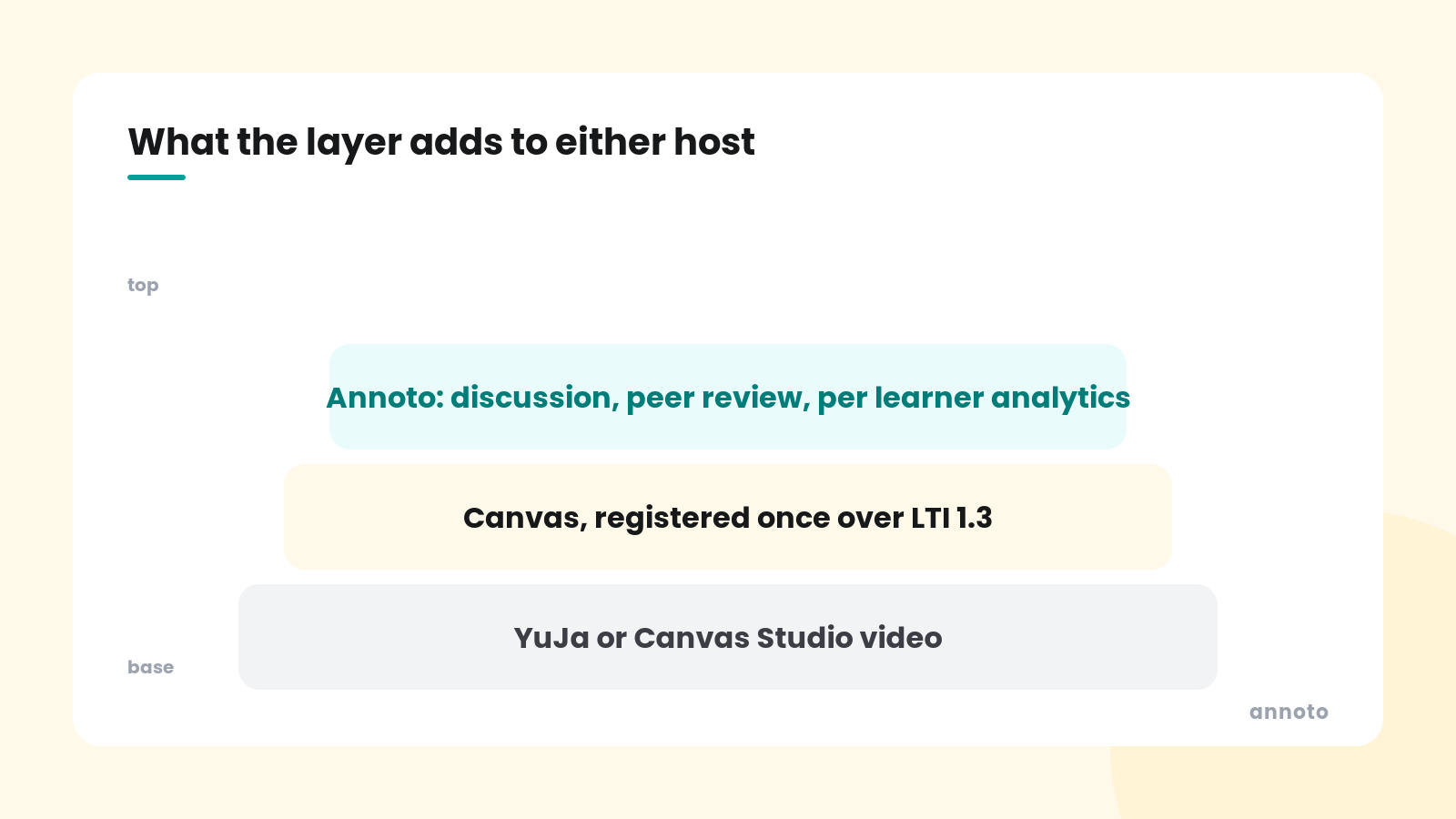
What Annoto adds is the layer both leave out, and it runs on YuJa video inside Canvas as well as on Studio, Panopto, Kaltura, YouTube and Vimeo, because it works on any video host with no re upload. Registered once over LTI 1.3, it places graded in video quizzes with multiple choice and open ended questions on the timeline, editable without republishing and passed to the Canvas gradebook; threaded timestamped discussion with notifications and moderation; video assignments and peer review with customizable rubrics; and per learner, per moment attention and comprehension analytics inside Canvas. For a YuJa campus that means student comments and in Canvas analytics without changing hosts. For a Studio campus it means quizzes that can be revised mid semester and discussion that is more than a comment box.
The detailed feature by feature comparisons are on the Annoto vs YuJa and Annoto vs Canvas Studio pages, including the cases where the native tool is sufficient.
Frequently asked questions
Is YuJa better than Canvas Studio?
For lecture capture, storage and caption correction, the University of Alberta recommends YuJa. For video that stays close to the Canvas page with comments and analytics in place, it recommends Studio. Quiz features are described as comparable. Neither is better overall; they fit different needs.
Can students comment on YuJa videos in Canvas?
Not inline. UAlberta's comparison states there is no inline commenting system for students in YuJa. Canvas Studio does have a comment system. An engagement layer such as Annoto adds threaded, timestamped discussion on YuJa video inside Canvas.
Does YuJa show analytics inside Canvas?
According to UAlberta, YuJa analytics require leaving Canvas, while Studio Insights appear on the same page as the video. Annoto reports per learner and per moment analytics inside the Canvas course for either host.
Can I edit a Canvas Studio quiz after publishing?
Instructure's guide says a quiz version cannot be edited once it has been embedded or taken. YuJa's documentation describes editing name, points and due date at deployment but does not describe editing individual questions after saving, so check current vendor guidance. Annoto quizzes are versioned and editable without republishing.
Takeaways
YuJa wins on storage, editing and captions; Canvas Studio wins on proximity to the Canvas page, student comments and in page analytics; both offer workable quizzes with documented limits. Neither provides threaded timestamped discussion, structured peer review or per learner, per moment analytics inside Canvas, and those are the features instructors ask for once the hosting question is settled. Running one of them with an engagement layer on top is how most institutions end up covering all three. See it on your own YuJa or Studio course video at https://www.annoto.net/demo.
