Every way people learn — right inside the video
Annoto layers assessment, collaboration, and self-study directly onto the course video you already have. Pick the journey that fits your class — no new tool, no new destination.
Learn more: What learning journeys are and how to choose yours
How to choose the right learning journey for your course
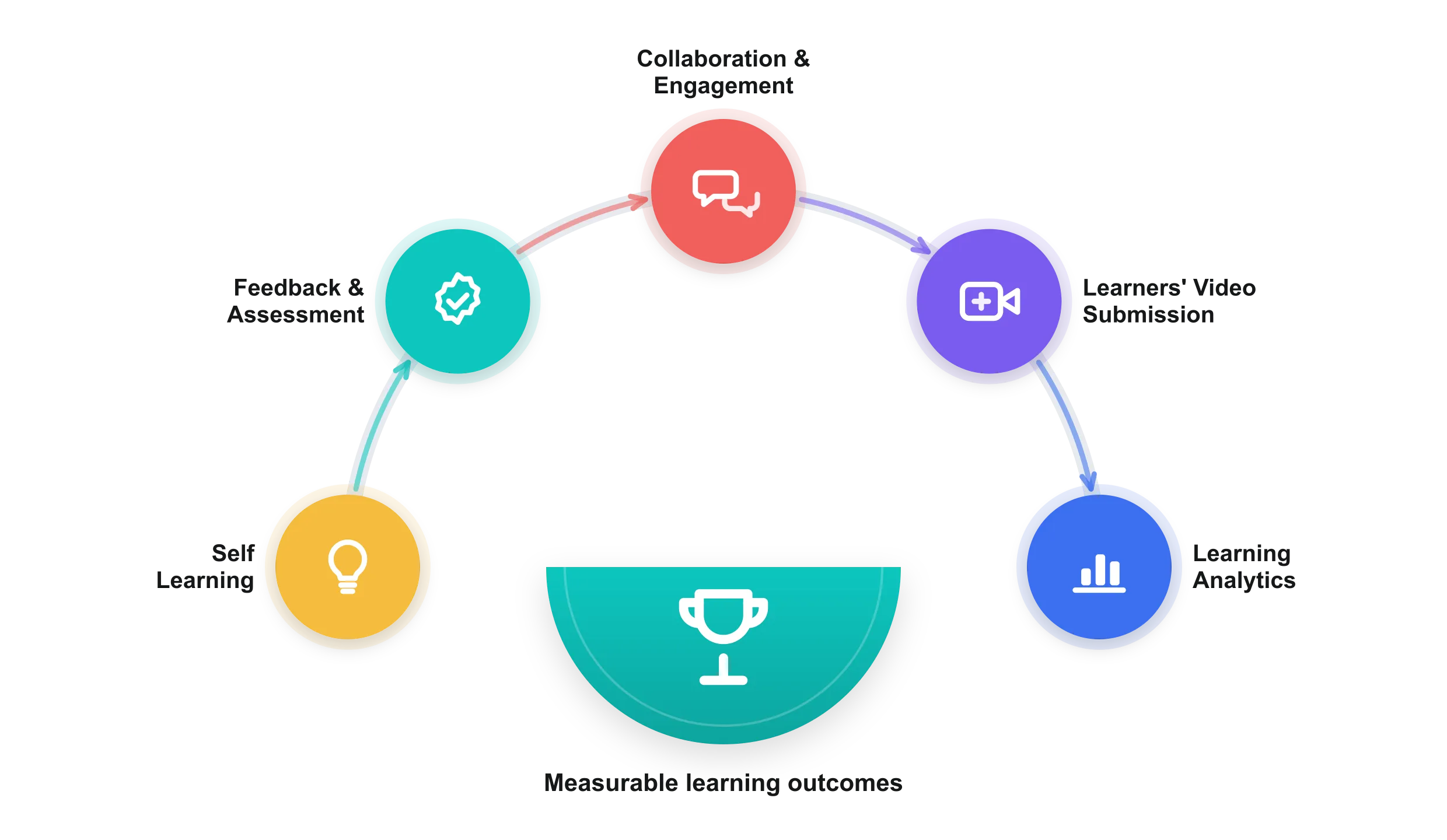
This page introduces five learning journeys — Self Learning, Collaboration & Engagement, Feedback & Assessment, Learners’ Video Submission, and Learning Analytics. This guide explains what a learning journey actually is, how the five journeys relate to one another, and how to pick a sensible starting point for your own course — without adding a new tool or a new destination for your learners.
What exactly is a learning journey?
A learning journey is the route a learner takes through a course video once watching stops being passive. Instead of pressing play and drifting, the learner takes notes, answers in-video questions, joins a discussion anchored to the exact moment on the timeline, submits their own work, and receives feedback — all inside the player they already use. Because Annoto’s interactive widget sits on top of the video you already have, a journey is not a course redesign. It is a set of behaviors you switch on around existing content, and every one of those behaviors is measured for you automatically.
How do the five journeys fit together?
Think of them as layers rather than alternatives. Self Learning is the private layer: personal notes, reflection, and exportable study material that turn a lecture recording into revision material. Collaboration & Engagement is the social layer, using time-anchored discussion and comments so guided watching, flipped classroom, and peer learning happen in context. Feedback & Assessment is the accountability layer, using in-video quizzes and activity completion to check understanding as it forms and pass grades back to your LMS. Learners’ Video Submission flips the camera: students upload performance videos and receive time-coded feedback and skills assessment from peers and instructors through video assignments. Learning Analytics is the thread through all of them, collecting participation, completion, and watch-time evidence from every layer. A single course can run one journey or several — they share the same widget and the same data.
Where should a course start?
Start smaller than you think. The minimal setup — personal notes plus the analytics dashboard — asks almost nothing of learners and immediately shows you how they actually watch. When that feels natural, add the moderate layer: in-video comments and a handful of quiz questions at the moments where students historically get stuck. Save the comprehensive setup — reusable assessment criteria, peer review, and end-to-end video assignments — for when you and your learners are comfortable, often a semester in. Because every journey lives in the same layer, moving up a level is a preference change, not a migration.
How does progress show up in analytics?
Every action in every journey lands in the Annoto Analytics & Insights Dashboard. You see who watched, how much, and where attention dropped; who asked and answered questions; who completed the required activities; and how discussion clustered around specific moments in the video. That gives you three practical wins: engagement at a glance for the whole cohort, evidence you can grade against instead of guesswork, and early warning about learners who are quietly falling behind — often weeks before an exam would reveal it. Completion signals can also flow back to your LMS gradebook, so the evidence sits where you already grade.
Do learning journeys require new tools or new content?
No. Annoto runs inside your LMS and on the video hosting you already use, so a learning journey never sends learners to a new destination. The same course video you published last year can carry notes, discussion, quizzes, and submissions this year. You choose the journey that fits your class; the platform layers it onto the video in one click.
Which journey suits which kind of course?
Course shape usually decides. A large first-year lecture gains most from in-video quizzes placed at the concepts that historically lose people, because the check happens while the explanation is still on screen. Seminars and flipped classes lean on timeline discussion, where a comment sits at the second it refers to instead of drifting into a forum. Skills-based programmes such as nursing, teacher training, languages and performing arts need learners on camera, so they begin with video assignments and structured peer review.
How do journeys combine across a term?
Most departments run them in sequence rather than all at once. Open the term with private notes and AI recaps, so the cohort builds its own revision material from week one. Add timeline discussion at the first genuinely difficult topic. Bring in in-video quizzes before the midterm, using Lumo AI to draft questions from the existing transcript and editing what it proposes. Close with a submission and peer-review cycle. Nothing is re-imported between stages; each layer switches on over the same video.
What does the first journey ask of your team?
Less than a new platform would. An administrator connects Annoto to your LMS once over LTI 1.3, and from then on the widget overlays whatever you already publish through Panopto, Kaltura, YouTube or Vimeo, or plays video Annoto hosts natively; see integrations for the current list. Instructors then work per video, choosing which behaviours to enable. There is no re-encoding, no separate learner account, and no second copy of your media to keep in sync.
Which analytics signals are worth reading first?
Read attention before comprehension. In the opening weeks, cohort watch patterns say more about the video than about the learners: a passage everyone rewinds is usually a pacing problem worth re-recording or annotating. From the midterm onward, per-learner comprehension carries the weight, because quiz responses and completed activities surface students who are watching without following. Discussion clustering points to the concepts worth revisiting in class, and completion evidence reaches the gradebook without a manual export.