Works in Canvas · Moodle · Blackboard · Brightspace
Learn more: How time-anchored discussions change video courses
DISCUSSIONS & COMMENTS
How Time-Anchored Discussions Change Video Courses
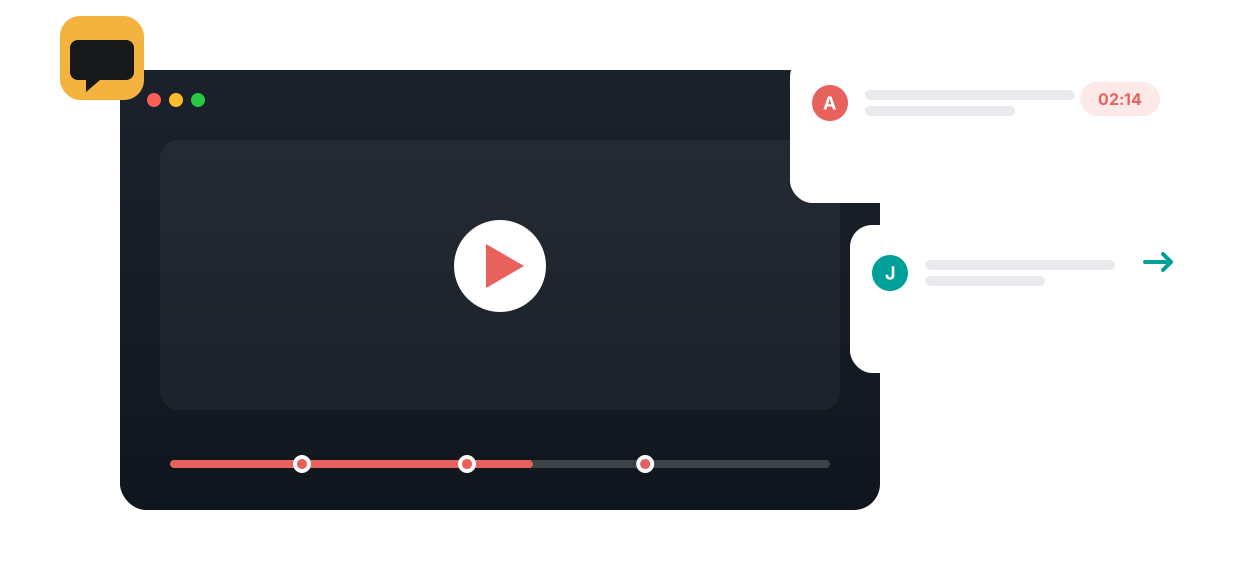
A forum post about a lecture forces students to describe the moment they mean: around minute twenty, where the second example starts. Annoto removes that translation step. Comments live on the video timeline itself, attached to the exact second they discuss, and every reader is one click away from the context that produced them.
Conversation at the exact moment
A student pauses, writes a comment, and it anchors to the timestamp. Classmates see the marker on the timeline, jump to it, and reply in a thread beside the player. When an instructor answers, the explanation stays attached to that moment for everyone who watches later, so the same question does not arrive by email five more times. Annoto runs inside Canvas, Moodle, Blackboard, Brightspace, and Open edX through LTI 1.3, on top of Kaltura, Panopto, Wistia, YouTube, and Vimeo players.
Where discussion fits in teaching
Asynchronous courses gain what they usually lack: the feeling that other people are in the room. Students see classmates' questions as they watch, answer each other, and build on earlier threads across the semester. In large lecture courses, timeline discussion concentrates instructor effort where it matters, because one good answer in context serves the whole cohort. Many instructors also scan the threads before a live session and open class with the questions students already raised.
What the discussion data shows
Comment clusters map directly onto difficulty: when a dozen threads form at the same segment, that concept needs attention. Unanswered questions surface in the activity feed so nothing is missed, participation counts toward completion and gradebook sync when instructors want it to, and the full discussion record is available through analytics export as CSV or through the API.
Time-anchored discussion is the foundation of Annoto's engagement layer, and the feature most of the platform builds on, from video assignments to reflection points. Institutions worldwide use it to make video courses conversational. Setup guides are available at docs.annoto.net.
Prompts that start real threads
Discussion rarely ignites on its own in week one, so seed it. Before releasing a video, an instructor can drop two or three questions at the moments that matter: a prediction question just before a derivation, a challenge to a claim, a request for a counterexample after a definition. Prompts that admit more than one defensible answer draw far more replies than comprehension checks, and a visible instructor comment early on signals that the timeline is a place to talk, not a place to be graded. After the first assignments, most cohorts take over and the instructor's role shifts from starting threads to steering them.
Moderation that does not consume the week
The workload worry is reasonable and usually short-lived. In practice, peers answer a large share of questions before the instructor arrives, and the remaining triage is quick: skim the new threads, reply where a misconception is spreading, and add a brief endorsement where a student's answer is already right, which teaches the cohort whose explanations to trust. Teaching assistants can own specific videos or weeks, and some courses rotate a student discussion-lead role so responsibility for first responses is shared.
Grading participation by quality, not count
When timeline participation carries credit, counting comments invites noise. A short rubric works better: did the contribution reference the specific moment, did it add an explanation, example, or well-formed question, and did the student return to engage with replies. Two or three substantive contributions per video is a common bar, and pairing it with peer review turns commenting into structured feedback rather than an activity log. Group chat gives sections and project teams a separate space beside the same video, so cohort-wide threads stay readable while smaller groups work.
The archive compounds across semesters. Threads from a previous cohort can serve as a scaffold for the next one, or the course can start clean; the right choice depends on whether last year's questions still match this year's cut of the video.
What does it mean for a comment to be anchored to a video moment?
An anchored comment carries a timestamp that points to a precise moment in the video. Clicking it jumps playback to that second, so a question about a formula, a scene, or a claim is read with the exact frame it refers to on screen. Annoto's in-video discussions and comments support text and video replies, anonymous comments that stay instructor-visible, and an educator's thumbs-up to spotlight strong contributions — all without sending anyone to a separate forum.
How does guided watching keep learners engaged?
In guided watching, the instructor seeds the timeline before learners arrive: a question posed at a key moment, a simplification or translation of a difficult passage, a highlight on what matters, or an added resource exactly where it is needed. Learners meet these prompts as they watch, so attention is steered in real time instead of being tested after the fact. Open phrasings such as "so far" or "until this moment" invite varied answers rather than yes/no replies and keep viewers actively processing.
How does anchored discussion power flipped and blended classes?
In a flipped or blended course, learners watch the material before class and leave their questions in context, at the moment that confused or intrigued them. The instructor reviews the timeline ahead of the session and plans class around what was actually raised — no guessing about where the group struggled. Class time then goes to discussion and application, while the video remains the shared reference both sides can point back to, moment by moment.
How does in-video discussion build a peer learning culture?
When learners see each other's introductions, questions, and replies on the timeline, watching stops being a lonely experience and becomes a social one. Peers answer peers, compare interpretations, and are exposed to perspectives they would never meet watching alone — in effect teaching each other. Quieter learners can contribute anonymously while remaining visible to the instructor, so participation widens instead of concentrating in a vocal few.
Do instructors need to moderate every conversation?
No. The Analytics & Insights Dashboard tracks participation, engagement, completion, and discussion across each video and across the whole course, so instructors get the signal without joining every thread. A periodic pass to endorse accurate answers, resolve open questions, and highlight the best contributions is usually enough to keep quality high while the community carries the day-to-day conversation.
How do anchored comments become reusable answers?
Because every exchange is pinned to a moment, the discussion accumulates into a searchable layer of explanations that stays with the video. The next cohort meets the same questions already answered at the exact second they arise, so recurring confusion is resolved once instead of every term. Learners can also capture takeaways privately in personal notes and summaries, turning the shared conversation into individual study material they can export and revisit.
Why it works
Built for how people actually learn
On the moment
Every comment is anchored to a timestamp, so context is never lost.
Threaded & social
Replies, mentions, and reactions turn watching into a shared experience.
Instructor presence
Answer once, at the moment — and satisfy Regular & Substantive Interaction.
How it works
From video to active learning in three steps
1
Enable Annoto on any video
Add the engagement layer to the video you already use — no re-uploads.
2
Learners comment as they watch
Questions and replies attach to the exact timestamp, visible to the whole cohort.
3
You reply where it matters
Jump to a moment, answer once, and every learner sees it in context.
The impact
Numbers that hold up
+50%
Less mind-wandering when learners actively respond mid-video
Szpunar et al., PNAS 2013
88–97%
Learner engagement across documented Annoto courses
Annoto case studies
RSI
Satisfies Regular & Substantive Interaction for online courses
Turn every video into a conversation — right on the timeline
Learners comment, question, and reply at the exact second a concept appears. Discussion stops being a separate forum and becomes part of the watch.
Learn more: How time-anchored discussions change video courses
How Time-Anchored Discussions Change Video Courses
A forum post about a lecture forces students to describe the moment they mean: around minute twenty, where the second example starts. Annoto removes that translation step. Comments live on the video timeline itself, attached to the exact second they discuss, and every reader is one click away from the context that produced them.
Conversation at the exact moment
A student pauses, writes a comment, and it anchors to the timestamp. Classmates see the marker on the timeline, jump to it, and reply in a thread beside the player. When an instructor answers, the explanation stays attached to that moment for everyone who watches later, so the same question does not arrive by email five more times. Annoto runs inside Canvas, Moodle, Blackboard, Brightspace, and Open edX through LTI 1.3, on top of Kaltura, Panopto, Wistia, YouTube, and Vimeo players.
Where discussion fits in teaching
Asynchronous courses gain what they usually lack: the feeling that other people are in the room. Students see classmates' questions as they watch, answer each other, and build on earlier threads across the semester. In large lecture courses, timeline discussion concentrates instructor effort where it matters, because one good answer in context serves the whole cohort. Many instructors also scan the threads before a live session and open class with the questions students already raised.
What the discussion data shows
Comment clusters map directly onto difficulty: when a dozen threads form at the same segment, that concept needs attention. Unanswered questions surface in the activity feed so nothing is missed, participation counts toward completion and gradebook sync when instructors want it to, and the full discussion record is available through analytics export as CSV or through the API.
Time-anchored discussion is the foundation of Annoto's engagement layer, and the feature most of the platform builds on, from video assignments to reflection points. Institutions worldwide use it to make video courses conversational. Setup guides are available at docs.annoto.net.
Prompts that start real threads
Discussion rarely ignites on its own in week one, so seed it. Before releasing a video, an instructor can drop two or three questions at the moments that matter: a prediction question just before a derivation, a challenge to a claim, a request for a counterexample after a definition. Prompts that admit more than one defensible answer draw far more replies than comprehension checks, and a visible instructor comment early on signals that the timeline is a place to talk, not a place to be graded. After the first assignments, most cohorts take over and the instructor's role shifts from starting threads to steering them.
Moderation that does not consume the week
The workload worry is reasonable and usually short-lived. In practice, peers answer a large share of questions before the instructor arrives, and the remaining triage is quick: skim the new threads, reply where a misconception is spreading, and add a brief endorsement where a student's answer is already right, which teaches the cohort whose explanations to trust. Teaching assistants can own specific videos or weeks, and some courses rotate a student discussion-lead role so responsibility for first responses is shared.
Grading participation by quality, not count
When timeline participation carries credit, counting comments invites noise. A short rubric works better: did the contribution reference the specific moment, did it add an explanation, example, or well-formed question, and did the student return to engage with replies. Two or three substantive contributions per video is a common bar, and pairing it with peer review turns commenting into structured feedback rather than an activity log. Group chat gives sections and project teams a separate space beside the same video, so cohort-wide threads stay readable while smaller groups work.
The archive compounds across semesters. Threads from a previous cohort can serve as a scaffold for the next one, or the course can start clean; the right choice depends on whether last year's questions still match this year's cut of the video.
What does it mean for a comment to be anchored to a video moment?
An anchored comment carries a timestamp that points to a precise moment in the video. Clicking it jumps playback to that second, so a question about a formula, a scene, or a claim is read with the exact frame it refers to on screen. Annoto's in-video discussions and comments support text and video replies, anonymous comments that stay instructor-visible, and an educator's thumbs-up to spotlight strong contributions — all without sending anyone to a separate forum.
How does guided watching keep learners engaged?
In guided watching, the instructor seeds the timeline before learners arrive: a question posed at a key moment, a simplification or translation of a difficult passage, a highlight on what matters, or an added resource exactly where it is needed. Learners meet these prompts as they watch, so attention is steered in real time instead of being tested after the fact. Open phrasings such as "so far" or "until this moment" invite varied answers rather than yes/no replies and keep viewers actively processing.
How does anchored discussion power flipped and blended classes?
In a flipped or blended course, learners watch the material before class and leave their questions in context, at the moment that confused or intrigued them. The instructor reviews the timeline ahead of the session and plans class around what was actually raised — no guessing about where the group struggled. Class time then goes to discussion and application, while the video remains the shared reference both sides can point back to, moment by moment.
How does in-video discussion build a peer learning culture?
When learners see each other's introductions, questions, and replies on the timeline, watching stops being a lonely experience and becomes a social one. Peers answer peers, compare interpretations, and are exposed to perspectives they would never meet watching alone — in effect teaching each other. Quieter learners can contribute anonymously while remaining visible to the instructor, so participation widens instead of concentrating in a vocal few.
Do instructors need to moderate every conversation?
No. The Analytics & Insights Dashboard tracks participation, engagement, completion, and discussion across each video and across the whole course, so instructors get the signal without joining every thread. A periodic pass to endorse accurate answers, resolve open questions, and highlight the best contributions is usually enough to keep quality high while the community carries the day-to-day conversation.
How do anchored comments become reusable answers?
Because every exchange is pinned to a moment, the discussion accumulates into a searchable layer of explanations that stays with the video. The next cohort meets the same questions already answered at the exact second they arise, so recurring confusion is resolved once instead of every term. Learners can also capture takeaways privately in personal notes and summaries, turning the shared conversation into individual study material they can export and revisit.
Built for how people actually learn
From video to active learning in three steps
Numbers that hold up
Discussions & Comments, answered
Where do comments appear?
Can discussion be private or moderated?
Does it work with my LMS and video host?
Can students reply to each other?
Does it count as instructor interaction?
See it on your own course video
Book a 20-minute demo and watch discussions & comments work inside your LMS, on your own content.