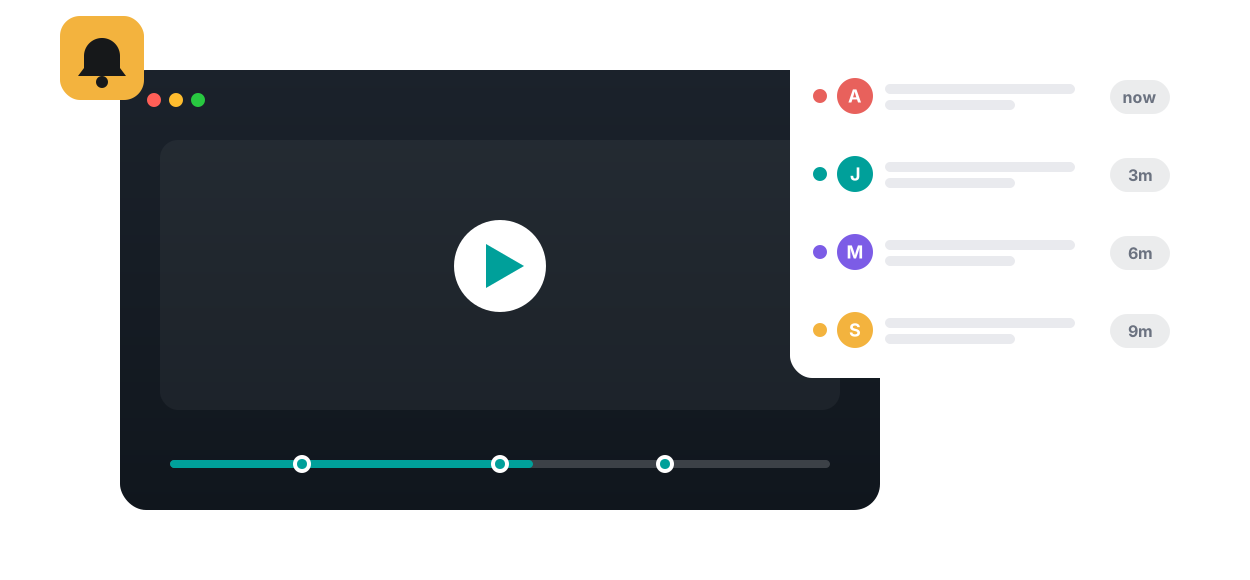
Comments, answers, polls, and reactions from the whole cohort — a single live feed so you always know who's engaging and where.

Annoto's activity feed collects every comment, question, reply, and reaction from across your course videos into one chronological stream. Instead of opening each video to check whether something new happened, instructors and students see all in-video conversation in a single view, with each entry anchored to the exact moment in the video it refers to and one click away from the thread itself.
When a student posts a question at minute twelve of a lecture, the feed shows the video title, the timestamp, and the text of the post. Clicking the entry opens the video at that second with the discussion alongside the player, so context is never lost. Because Annoto runs inside Canvas, Moodle, Blackboard, Brightspace, and Open edX through LTI 1.3, the feed lives where your course already lives, with no separate portal or extra login, and it works on top of Kaltura, Panopto, Wistia, YouTube, and Vimeo players.
Most instructors use the feed for a short weekly triage. Scan it on Monday, answer the questions nobody has picked up, and note which lecture sparked the most conversation. Teaching assistants can split the stream between them so every student post gets a response. For learners, the feed doubles as a catch-up tool: they can review what classmates asked and answered without rewatching a full lecture, then jump straight to the moments that matter before a quiz or assignment.
Because every entry is time-anchored, the feed becomes a lightweight signal of where learning is happening. A cluster of questions at the same timestamp usually marks a concept worth revisiting in class, while a silent video may need a prompt or a reflection point. Paired with Annoto's attention and comprehension analytics, the feed helps you separate videos that students merely watch from videos they actually engage with, and completion and gradebook sync carries participation back to your LMS.
The activity feed is one part of Annoto's collaboration layer, alongside in-video quizzes, polls and reactions, notes with AI summaries, and group chat. Institutions worldwide use it to keep video courses conversational rather than one-way. Setup details and LMS configuration guides are available at docs.annoto.net.
At scale, the feed changes the economics of answering. A question asked privately by email helps one student; the same question answered in the feed is visible to everyone who reaches that moment of the video after them. Teaching teams in large cohorts lean on this deliberately: a rota decides who works the stream each day, replies happen in public by default, and a question that keeps recurring becomes a reflection point at that timestamp so the next cohort meets the answer before they need to ask.
Students treat the feed as live once they see it answered. It is worth saying in week one that in-video questions are the preferred channel, and naming a response window the teaching team can actually keep. From there the dynamics reinforce themselves: public answers invite follow-ups, reactions show which explanations landed, and quieter students who rarely raise a hand often surface first in writing anchored to a specific second of video.
A term of feed activity is also a record of where the course was hardest. Before the exam, students use the accumulated threads as a revision index to the moments worth rewatching. Afterwards, instructors export the discussion through CSV or the API and read it as course feedback: the timestamps that drew clusters of questions are the ones to re-record, re-explain, or precede with a quiz in next year's run.

“It enabled me to efficiently and effectively engage all students and allowed me to assess engagement for ALL students.”
Book a 20-minute demo and watch activity feed work inside your LMS, on your own content.