Bloom's Taxonomy Video Questions: Examples for Every Level (2026)
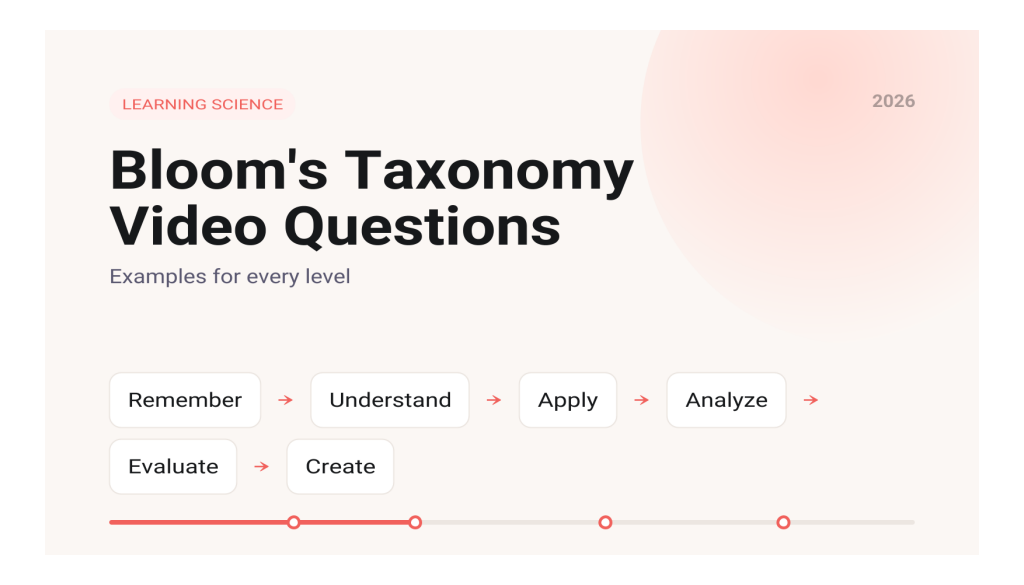
To write in video questions at each level of Bloom's taxonomy, match the verb in your question to one of the six levels of the revised taxonomy (Remember, Understand, Apply, Analyze, Evaluate, Create), place the question right after the segment it targets, and pick the question type that lets students actually show that level of thinking. This guide gives you question stems for each level, built around a single lecture video, and shows how each question type maps to the levels it can reach.
What is the revised Bloom's taxonomy?
The revised taxonomy was published by Lorin Anderson and David Krathwohl as editors in 2001 under the title A Taxonomy for Learning, Teaching, and Assessing. Krathwohl summarized the changes in a 2002 overview in Theory Into Practice. Three changes matter for anyone writing questions:
- Levels became verbs. Knowledge became Remember, Comprehension became Understand, and the rest became Apply, Analyze, Evaluate and Create.
- Create moved to the top. The old Synthesis category was renamed Create and placed above Evaluate.
- A second dimension was added. The revision separates the kind of knowledge (factual, conceptual, procedural, metacognitive) from the thinking process, so you can ask a Remember question about a procedure or an Analyze question about a concept.
Krathwohl also notes that the revision relaxed the strict cumulative hierarchy of the 1956 original, because the categories overlap. Explaining, for example, which sits under Understand, can be harder than Executing, which sits under Apply. Treat the levels as a guide to variety, not a ladder students must climb in order. Iowa State University's Center for Excellence in Learning and Teaching publishes a one page model of the revised taxonomy (this copy is hosted by CSU Dominguez Hills) that lists the cognitive processes under each level, which is handy when you are hunting for the right verb.
Why write video questions at more than one level?
Most in video quizzes stay at the Remember level: what term did the speaker use, what number was on the slide. They are easy to write, but they may not build higher order thinking on their own. In a set of three experiments with college and middle school students, Pooja Agarwal (2019) in the Journal of Educational Psychology found that higher order and mixed quizzes improved performance on a later higher order test, while fact quizzes did not. Agarwal's own summary notes that mixed quizzes helped on both kinds of test.
The practical lesson is to mix levels within a video rather than saving the harder questions for the end of the course. This also fits the ICAP framework, which holds that students learn more when they move from passive watching to active, constructive and interactive work. A Remember question makes viewing active. Questions at the Analyze, Evaluate and Create levels push students toward constructing their own answers.
What do video questions look like at each level?
The examples below assume a 12 minute lecture video on supply and demand in an introductory economics course.
Remember: recognizing and recalling
Ask students to retrieve a fact, term or step exactly as it was presented.
- Which of these is the definition of equilibrium price given in the video?
- What are the two curves the lecturer drew on the graph?
Understand: interpreting, summarizing, explaining
Ask students to put an idea in their own words, classify an example or predict an outcome.
- In one sentence, explain why the price rises when demand increases and supply stays the same.
- Which of these situations is an example of a shift along the curve rather than a shift of the curve?
Apply: executing and implementing
Ask students to use a procedure or model on a new case.
- Using the model from the video, what happens to the price of coffee if a frost destroys part of the harvest?
- Given these numbers, calculate the new equilibrium quantity.
Analyze: differentiating, organizing, attributing
Ask students to break a situation into parts, separate relevant from irrelevant information, or identify a point of view.
- In the news clip shown at 6:40, which detail is actually relevant to the price change and which is a distraction?
- Two things changed at once in this example. Which effect is larger, and how can you tell from the graph?
Evaluate: checking and critiquing
Ask students to judge a claim, method or solution against criteria.
- A classmate says a price ceiling will always help consumers. Using the video, is that claim justified? Why or why not?
- Which of these two policy proposals is better supported by the model, and what evidence did you use?
Create: generating, planning, producing
Ask students to produce something new: a hypothesis, a plan or an original example.
- Describe a real market in your city that the model from this video could explain, and predict what would happen if one factor changed.
- Record a short video reply that walks through your own example using the graph.
How does question type map to Bloom's level?
Question type does not fix the level by itself. What matters is what the student has to do to answer. Still, each format has a natural range:
- True or false: best at Remember and Understand. It can check a misconception quickly, but guessing is easy, so pair it with feedback that explains the answer.
- Fill in the blank: strong for Remember, because students must recall rather than recognize. With a short calculation it can reach Apply.
- Multiple choice (one answer): covers Remember through Analyze when the question presents a new scenario and the wrong options reflect common errors. Evaluate is possible if students pick the best justified option.
- Multiple answer (select all that apply): useful for Understand and Analyze, such as asking which factors in a case are relevant.
- Open ended responses: the most direct route to Evaluate and Create, because students must build an argument or an example. Use a few, since they take longer to review.
- Discussion prompts and video replies: suited to Evaluate and Create, and they add the interactive mode of ICAP, since students respond to each other.
A good rule of thumb: if you can answer a multiple choice question by spotting a word from the slide, it is a Remember question, whatever you intended.
Where should each level go in the video?
- Right after a definition: a quick Remember or Understand check.
- After a worked example: an Apply question with new numbers or a new case.
- At a segment break: an Analyze question that connects the segment to the one before.
- Near the end: one Evaluate or Create question that asks students to use the whole video.
For a 10 to 15 minute lecture, four to six questions spread across two or three levels is a reasonable starting point. Our earlier post on in video quizzes and active recall covers placement and pacing in more detail, and video comprehension checks covers lighter weight options.
Where does Annoto fit?
Most video platforms and quiz tools can handle the Remember and Understand questions above. If your LMS or video host already has a quiz feature and you mainly need multiple choice checks, that native tool may be enough. Annoto's in video quizzes support multiple choice, multiple answer, true or false, open ended and fill in the blank questions, each with feedback and retries, plus a practice mode that keeps scores out of the gradebook. Answers can branch students to a review segment, and item level analytics show which questions students miss. Time stamped comments and discussion on the video cover the Evaluate and Create prompts that work better as conversation than as quiz items.
Key takeaways
- Use the revised taxonomy's six verbs (Remember, Understand, Apply, Analyze, Evaluate, Create) as a checklist for variety in each video.
- Mix levels in every video; research by Agarwal (2019) found fact quizzes alone did not improve higher order test performance.
- Question type sets a range, not a level. A well built multiple choice item can reach Analyze.
- Save open ended and discussion prompts for Evaluate and Create, where students must build their own answer.
- Place questions where the matching thinking happens: definitions, worked examples, segment breaks and the end.
Frequently asked questions
Who created the revised Bloom's taxonomy?
A group led by Lorin Anderson and David Krathwohl, who edited A Taxonomy for Learning, Teaching, and Assessing (2001), published by Longman. It revises the taxonomy Benjamin Bloom and colleagues introduced in 1956.
Can multiple choice questions test higher order thinking?
Yes, up to a point. When the question presents a new case and the options reflect plausible reasoning errors, students must apply or analyze to answer. Create level work usually needs an open response.
Do students need to master facts before higher order questions?
Not necessarily. Agarwal (2019) found that higher order quizzes improved higher order test performance without fact quizzes first, and that mixed quizzes helped on both kinds of test.
If you are comparing tools for this kind of question design, see how Annoto and Edpuzzle differ in our Annoto vs Edpuzzle comparison, and read our guide to the ICAP framework for video learning for the engagement side of the same question.