Interactive Video Software for Universities, Compared (2026)

Interactive video software for universities falls into two groups: tools that host or author the video and add quizzes to it (Edpuzzle, WeVideo Interactivity, H5P, Canvas Studio, Kaltura, Panopto) and layers that add interaction to video wherever it already lives (FeedbackFruits, Annoto). The right choice depends on where your lecture video is, whether grades must reach the LMS gradebook without manual steps, and whether you need discussion and per learner analytics or only questions. This comparison sticks to facts documented by vendors and university knowledge bases as of October 2026; our guide to choosing an interactive video learning platform gives the evaluation framework and vendor questions.
Does it work on the video you already have?
This is the first filter. Kaltura, Panopto and Canvas Studio quiz their own library; Studio quizzes and Insights apply to Studio media, as the Canvas Studio alternatives post explains. Edpuzzle pulls video in by YouTube link or upload. H5P has handlers for HTML5, YouTube, Vimeo and Panopto; a community thread states Kaltura is not supported, a Panopto thread reports interactions failing to play, and in August 2026 users reported YouTube videos no longer showing in Interactive Video. WeVideo Interactivity keeps PlayPosit's bulb model; confirm which lecture capture sources it plays. FeedbackFruits Interactive Video's product page says you can attach and manage copyrighted video content but does not list supported sources. Annoto runs on Kaltura, Panopto, YuJa, YouTube, Vimeo, Brightcove, Wistia, HTML5 and Canvas Studio video with no re upload; the list is on the any video host page.
LMS integration and grade sync
All eight reach an LMS; the difference is how grades arrive. Canvas Studio posts quiz results to the Canvas gradebook. Kaltura posts automatically in Moodle through its Video Quiz activity per its Moodle gradebook guide, which requires a numeric grade rather than a scale. Panopto submits a score only once all quizzes in the video are completed, per the University of Arizona's Panopto quiz guide. H5P in Moodle sends a score on a finish event that a long running h5p.org thread shows often never fires; free text marks never reach the gradebook. Edpuzzle connects to Canvas as an external tool assignment, per the University of the Incarnate Word's Edpuzzle overview. WeVideo Interactivity moved to LTI 1.3 in May 2026 and, according to Arizona's FAQ, grade sync is now on for every video with no option to disable it. FeedbackFruits runs inside Canvas, Moodle, Blackboard and Brightspace with auto grading and weighted scores. Annoto uses LTI 1.1 or 1.3 with grade passback set per activity, including completion, score, attempts and mastery rules.
Question types and editing
The native tools are narrowest. Studio offers multiple choice, true or false and multiple answer, and Instructure's quiz guide states a quiz cannot be edited once a version has been embedded or taken, and attempts cannot currently be limited. Panopto adds multiple select and fill in the blank, each question fixed at one point. Kaltura includes open ended and reflection questions, but Utah State's Kaltura Video Quiz page notes open ended answers are marked correct automatically. H5P has the widest content type range including branching, with unlimited attempts and answers readable in the downloadable package, per Vancouver Community College's grading and security article. Edpuzzle and WeVideo Interactivity offer multiple choice and open ended questions. FeedbackFruits places knowledge checks, discussion prompts and open questions at timestamps. Annoto offers multiple choice and open ended questions with versioning and editing after students have started, plus AI drafted questions from Lumo.

Discussion among students
Three of the eight have student discussion on the timeline. FeedbackFruits supports timestamped discussion prompts with text, video or audio replies and rubric rated contributions. Annoto has threaded, timestamped discussion with notifications, moderation, reactions and private notes, described on the discussions page. Canvas Studio has a comment system that the University of Alberta's YuJa vs Canvas Studio comparison counts as an advantage, though comments are flat rather than threaded with notifications. Edpuzzle, WeVideo Interactivity, H5P, and the Kaltura and Panopto quiz tools are instructor to student.
Analytics
Every tool reports who answered what. The gap is between aggregate and per learner. Studio Insights, Panopto Stats and Kaltura analytics give views, minutes and per student completion; Salisbury University's Panopto tracking guide describes a views per minute graph that is aggregate across all viewers. Edpuzzle's dashboard shows per student progress per assignment. FeedbackFruits tracks who watched, knowledge check responses and where engagement drops, with export. Annoto reports attention and comprehension separately per learner and per moment, at user, video, course and institution level, with CSV and API export; the Panopto analytics post shows the difference on one recording.
Licensing model
Hedged, because pricing changes. H5P is free inside Moodle. Edpuzzle's Basic plan is free with a 20 activity cap per its help center; Pro Teacher and Pro School are paid. Canvas Studio is bundled with certain Canvas tiers, and Instructure now lists Insights as a legacy add on with Canvas Plus and Canvas Next. Kaltura and Panopto are institution wide hosting licenses. WeVideo lists seat based education plans and quotes for larger organizations. FeedbackFruits is institution licensed; Yale and the University of Delaware have announced removals citing adoption and contract decisions. Annoto is institution licensed and students never pay; see pricing.
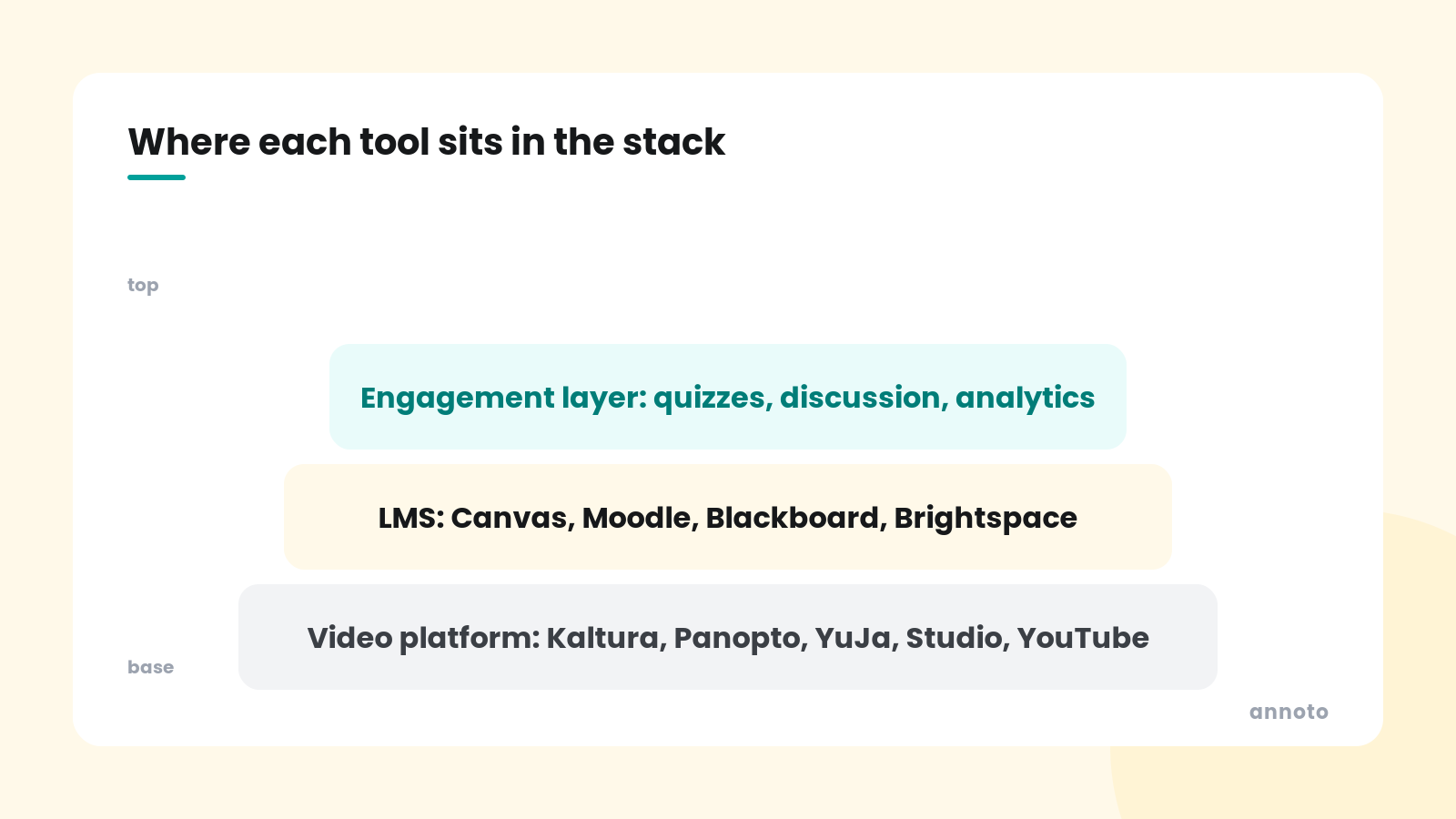
Where Annoto fits
Annoto fits when the institution runs more than one video host, wants one way of working inside the LMS, needs discussion and per learner analytics alongside quizzes, and will not re upload restricted lecture capture. The detailed side by sides are on Annoto vs PlayPosit, Annoto vs FeedbackFruits and the wider alternatives overview.
It is not the fit for authoring: branching, hotspots and editing belong to H5P or WeVideo. A single platform campus whose native quiz covers its question types has no reason to add a layer. And an institution whose interactive content is mostly readings should look at Perusall or FeedbackFruits Interactive Document instead.
Frequently asked questions
What is the best interactive video platform for universities?
For authoring from scratch, H5P or WeVideo Interactivity. For a quick quiz on a public video, Edpuzzle. For quizzes on video in your own platform, its native tool. For quizzes, discussion and analytics across every host inside the LMS, an engagement layer such as Annoto.
Which interactive video software integrates with Canvas?
All eight in some form as of October 2026: Studio natively, Kaltura and Panopto through their LTI apps, Edpuzzle as an external tool, WeVideo Interactivity, FeedbackFruits and Annoto over LTI 1.3, H5P through the plugin. Check how grades arrive, not just whether a launch works.
Is there free interactive video software for higher education?
H5P is free and open source, and Edpuzzle's Basic plan is free with a 20 activity cap. Both have documented gradebook and video source limits, so test with a real lecture recording before adopting either for graded work.
What is the difference between an interactive video platform and an engagement layer?
A platform hosts or authors the video and adds interaction to its own copy. An engagement layer adds interaction to video on whatever platform already hosts it. The engagement layer glossary entry has the full definition.
Takeaways
Filter interactive video software by where your video lives, then by how grades reach the gradebook, then by whether you need discussion and per learner analytics or only questions. Native tools suit a single host with simple needs; authoring tools suit produced content; a layer suits institutions with several hosts and an LMS that must hold the grade. To see the layer on one of your own course videos, book a short demo on your course video.
