Peer Feedback on Student Presentations: Asynchronous Speech Setup
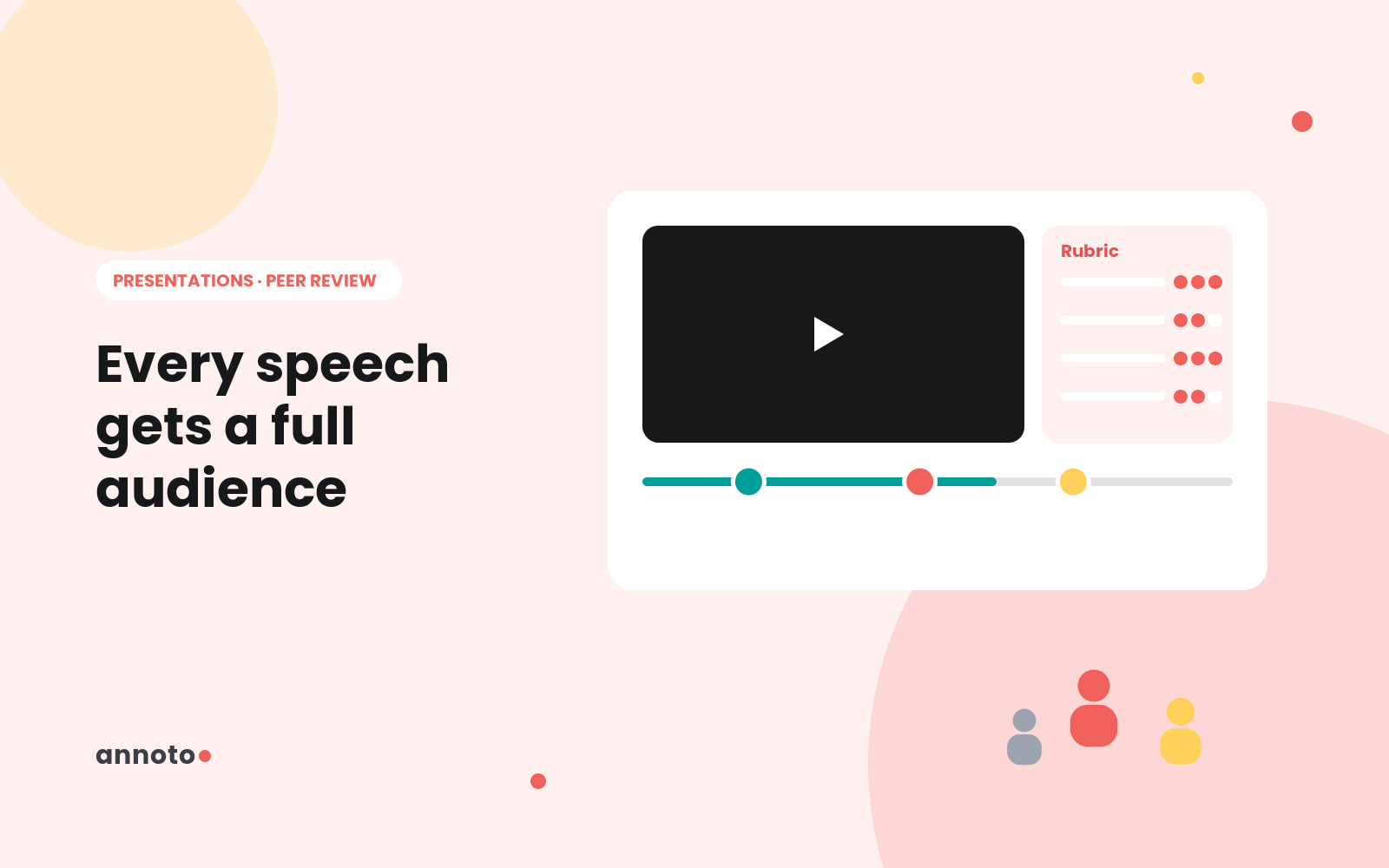
How do you set up peer feedback on student presentations when the class cannot watch every speech live? The answer is asynchronous speech assessment: students record their presentation, upload it to a video assignment, and a structured set of peers leaves time coded comments against rubric criteria before the instructor scores it. Done well, every student gets more feedback than a ten minute live slot allows, and the instructor can see exactly who reviewed whom. This post covers the setup decisions: structure, anonymity, rubric criteria and the analytics that make peer review gradable.
Why asynchronous presentation assessment is now standard practice
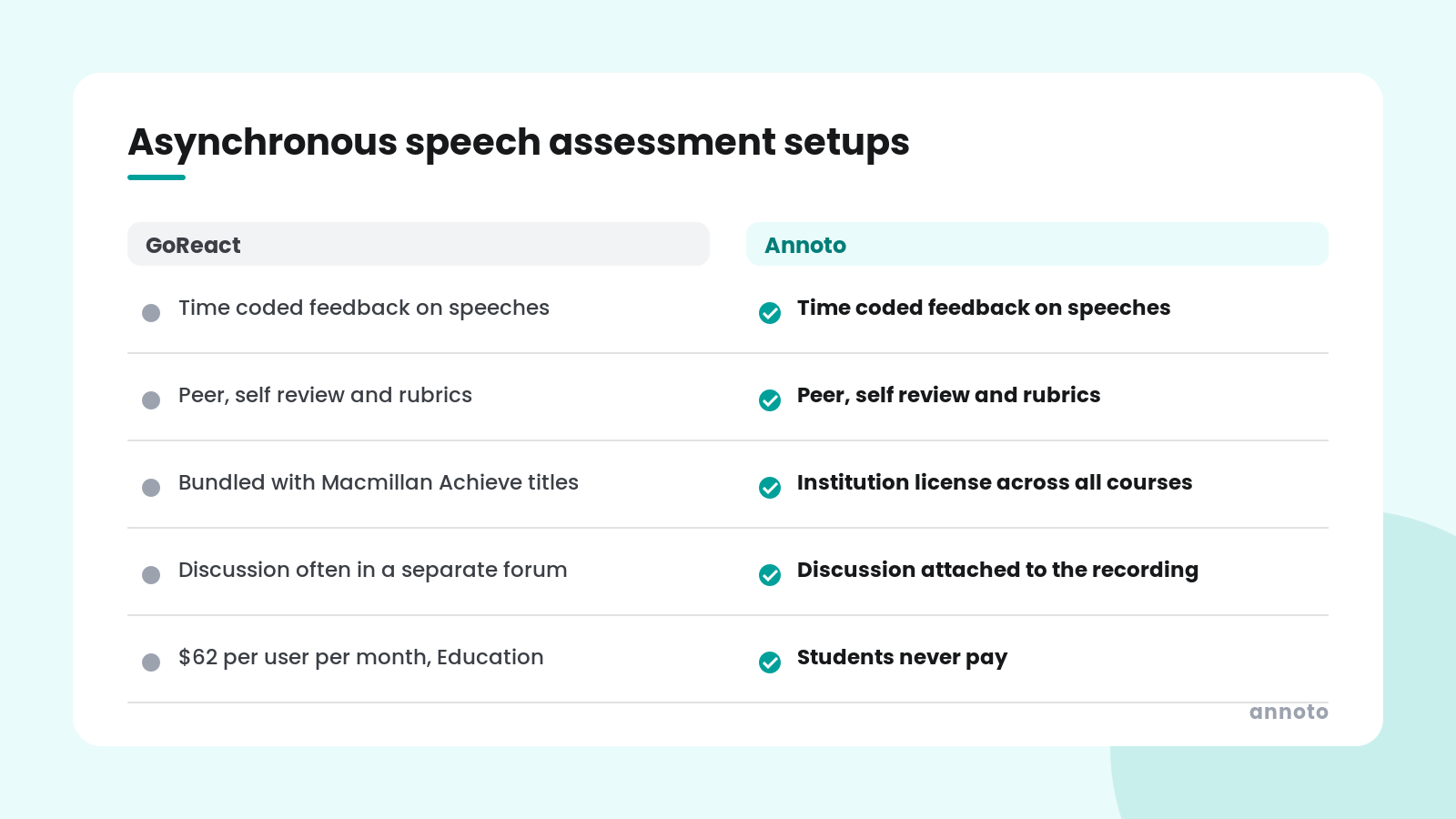
Public speaking and communication courses moved to recorded presentations out of necessity and kept them because the pedagogy improved. Macmillan Learning's communication titles ship with video assessment "powered by GoReact," which its GoReact Video Assessment page describes as letting instructors share time coded feedback on recorded speeches, with peer and self review and rubric functionality included. A Macmillan webinar from 2018, presented by a former speech instructor, framed the goal as improving presentation submission, grading and feedback in communication courses. BYU's Presentations guide recommends that students record presentations as a GoReact assignment with peer review enabled or disabled, and share their slides in a discussion thread where classmates respond with comments and questions.
Credit where due: GoReact built the model that most speech departments now follow, and the Macmillan integration means some instructors get it bundled with the textbook. The limits are that the recording lives in a separate tool, the license is per user (as of October 2026, TrustRadius lists GoReact Education at $62 per user per month with no free trial), and the BYU guide's two tool approach, video in one place and discussion in another, splits the conversation away from the recording. Check the vendor's current documentation for your terms.
Decision 1: Structured or open peer review
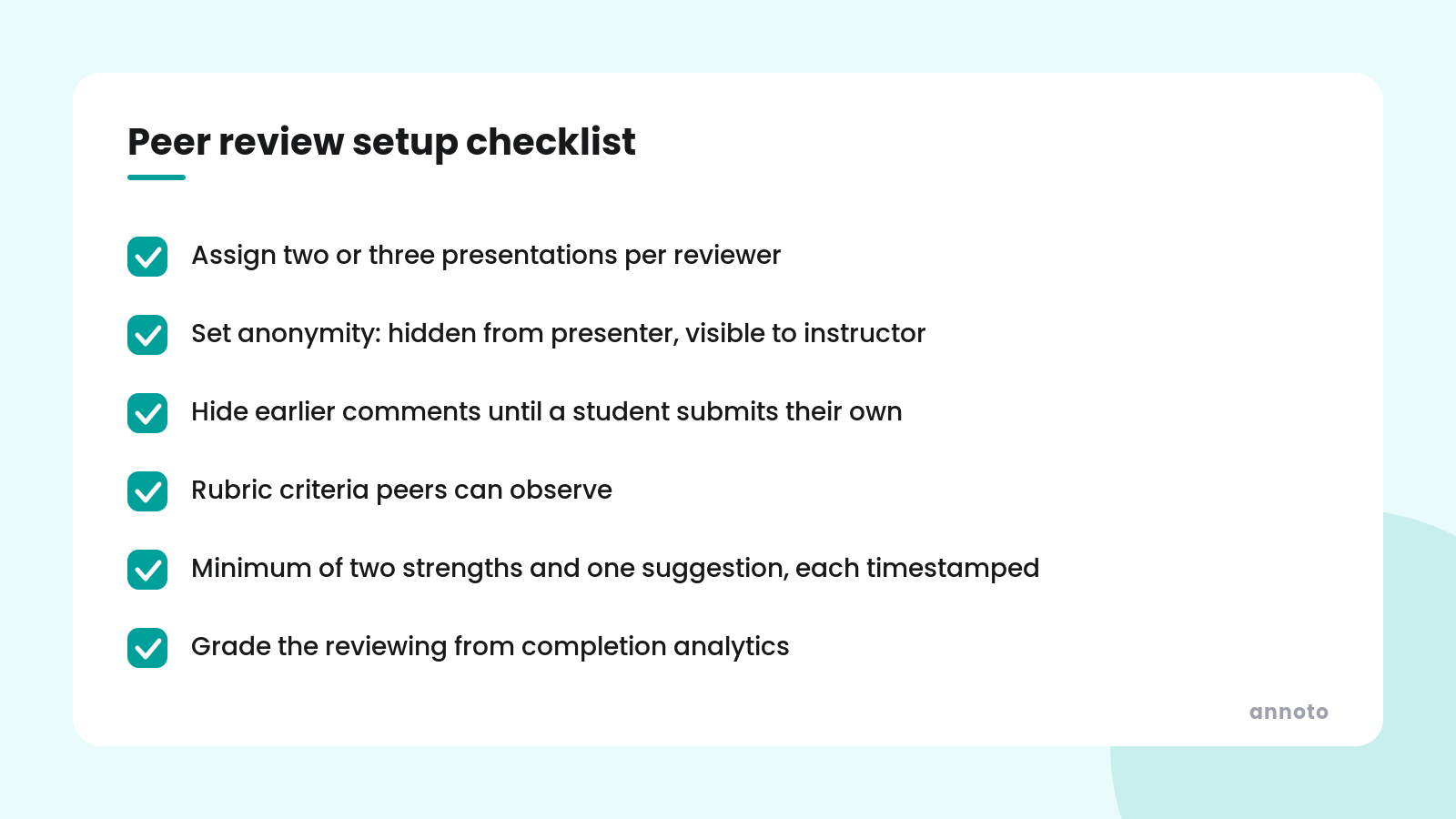
Open peer review, where anyone can comment on anything, produces a few students who comment on everything and many who comment on nothing. Structured peer review assigns each student a fixed number of presentations to review, usually two or three, and requires a minimum number of time coded comments per review. That is the setting to choose for a graded assignment. Annoto's peer review assigns reviewers automatically or by instructor choice and tracks completion, so the structure is enforced rather than hoped for. The peer review on the timeline post explains why comments at the moment of the gesture or the stumble beat a summary paragraph written afterwards.
Decision 2: Anonymous or named reviewers
Speech anxiety is real, and so is the fear of being judged by classmates. Anonymous reviewing lowers the stakes for the reviewer and encourages honest observations; named reviewing raises the quality of comments because students know their name is on them. A common compromise is anonymous to the presenter, visible to the instructor, which keeps students accountable without exposing them to each other. Whichever you choose, say so in the assignment instructions, and decide whether reviewers can see each other's comments before writing their own. Hiding earlier comments until a student submits their own prevents the "I agree with the above" problem.
Decision 3: Rubric criteria that peers can actually judge
Peers are good at observable criteria: eye contact, vocal variety, pace, use of visual aids, a clear preview and summary, time management. They are weaker on content accuracy and argument quality, which should stay with the instructor. Write the rubric with that split in mind, and give each criterion a short descriptor for each level so that "good" means the same thing to every reviewer.
In Annoto's video assignments the same rubric can be applied by peers and by the instructor, with peer scores shown separately so the instructor can weight them, ignore them or use them as a calibration check. Pair the rubric with a required comment count: two strengths and one suggestion, each pinned to a timestamp, is a sensible floor.
Decision 4: Grade the reviewing, not only the speech
If peer review counts for nothing, participation collapses by week four. If it counts, you need evidence of who reviewed what, how many comments they left and whether those comments were substantive. Annoto records every reviewer assignment and every comment with its timestamp and author, and surfaces that in per learner analytics, so grading the review is a report rather than a hunt through threads. Washington University's experience with this is written up in how WashU used peer review to lift engagement.
Where Annoto fits
If your course adopts a Macmillan communication title with GoReact bundled, or your department already runs GoReact for live review sessions, there is no reason to disrupt that. The Annoto vs GoReact comparison is the honest place to weigh them.
Annoto is the better choice when the institution wants peer review on presentations to live inside Canvas, Moodle, Blackboard or Brightspace, on the video platform it already pays for, with the discussion attached to the recording rather than in a separate forum. It also suits programs where presentations are one activity among many: the same license covers in video quizzes on lecture recordings, timestamped discussion and reflection across the curriculum, so a speech course is not the only department carrying the cost. Students never pay.
Frequently asked questions
How do students give feedback on recorded presentations?
They watch the recording inside the assignment and leave comments pinned to specific timestamps, usually against a rubric with a minimum comment count. Time coded comments are more useful than a summary because the presenter can click to the exact moment being discussed.
Should peer review of speeches be anonymous?
Anonymous to the presenter and visible to the instructor works for most classes. It keeps reviewers accountable while reducing the social cost of honest feedback. State the setting clearly in the assignment so nobody is surprised.
Can you do asynchronous speech assessment in Canvas?
Yes. Both GoReact and Annoto run as LTI tools in Canvas: the instructor creates an Assignment with External Tool submission, students record or upload, peers and instructor comment, and the grade passes back to the gradebook. Annoto also works in Moodle, Blackboard and Brightspace.
What is GoReact used for in public speaking classes?
Recording speeches and giving time coded feedback with peer and self review and rubrics, according to Macmillan's product page, where it is integrated with Achieve for communication titles. BYU's teaching guide recommends it for asynchronous presentations with optional peer review.
Takeaways
Asynchronous speech assessment works when four decisions are made deliberately: structured rather than open peer review, a clear anonymity setting, rubric criteria peers can judge, and a grade for the reviewing backed by analytics on who reviewed what. GoReact, with its Macmillan integration, established the pattern; Annoto runs the same pattern inside the LMS on the video platform the institution already uses, with the discussion attached to the recording. To try it on a presentation from your own course, book a walkthrough at annoto.net/demo.
