YuJa Alternatives in 2026: Panopto, Kaltura, Echo360, Canvas Studio and More
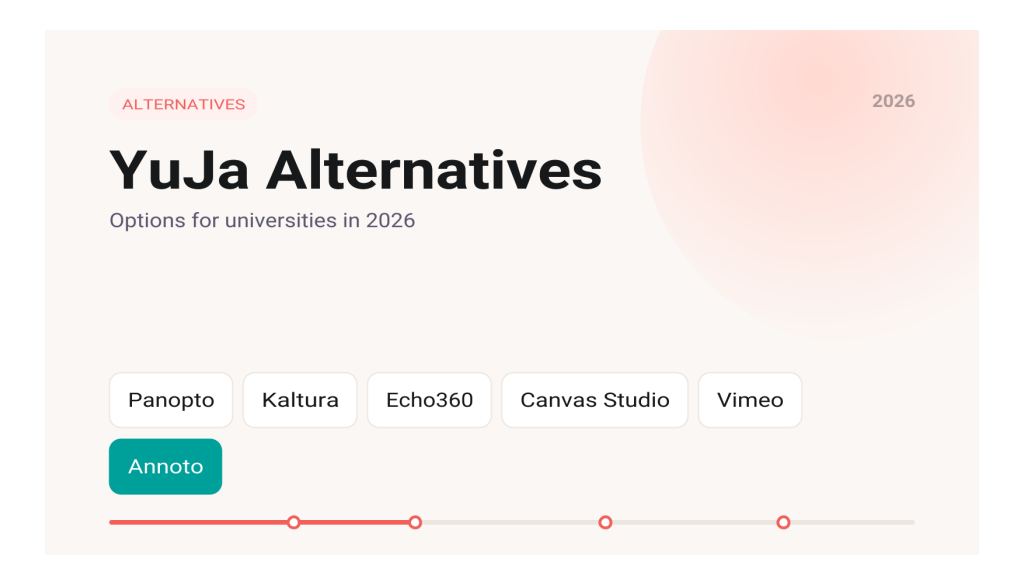
The main YuJa alternatives for universities in 2026 are Panopto, Kaltura and Echo360 if you want another full video platform, Canvas Studio if you want video built into your LMS, Vimeo or YouTube if you only need simple hosting, and Annoto if you want to add quizzes, discussion and analytics on top of the video platform you already run, including YuJa itself.
This guide credits what YuJa does well, explains why institutions review it, and walks through what each alternative is built for, using each vendor's own pages as sources.
What does YuJa do well?
YuJa is a broad platform. Its Lumina video platform covers lecture capture through software, hardware, browser and mobile recording, cloud storage, a built in video and image editor, live streaming, automatic captions with inline caption editing, and a Video Compliance Report that tracks captions, audio descriptions and chapters across an institution. Beyond video, the YuJa site lists Panorama for LMS accessibility, Verity for test proctoring and EqualGround for website accessibility.
For teaching, YuJa in video quizzing supports multiple choice, true or false, short answer, reflective pause, conditional response and multiple select questions, with scores sent to the LMS gradebook. YuJa's LMS integration page names Blackboard, Canvas, Moodle and D2L Brightspace, with embedded playback, gradebook sync and single sign on. For many campuses, that combination of capture, accessibility and LMS reach is exactly what they need.
Why do universities look for YuJa alternatives?
Most reviews are not about a single missing feature. They usually start with ordinary events:
- A contract renewal that triggers a formal market check (our contract renewal checklist covers what to ask).
- Consolidation after a merger, or a push to reduce the number of tools the LMS team supports.
- A teaching need the current setup does not cover the way faculty want, such as discussion on the video timeline or peer review.
- A preference for keeping video inside the LMS rather than in a separate media platform.
Knowing which of these applies matters, because it decides whether you need a new platform at all or only a new layer.
What should you check before switching?
- Quizzes: question types, retakes, and whether scores reach the gradebook without manual export.
- Analytics: whether instructors can see results per student and per moment, inside the course.
- Captions and accessibility: automatic captions, editing, and reporting at scale.
- LMS integration: which systems are supported and how video is embedded.
- Migration: how existing recordings, links and quiz data move, and what breaks in old courses. See how to switch video platforms without breaking courses.
Which full video platforms compete with YuJa?
Panopto
Panopto is a lecture capture and video management platform with a strong focus on search. Its higher education page says Smart Search indexes spoken words, on screen text and slides, and that captions and transcripts are generated automatically for every recording. It integrates with Canvas, Blackboard, Moodle and D2L Brightspace. Panopto's interactivity page describes quizzes embedded at any timestamp, results that feed the LMS gradebook, and time stamped discussion threads.
Kaltura
Kaltura offers a wide video cloud for education. Its education platform page covers auto ingest of lectures from Zoom, Teams and classrooms, a searchable library, built in captions with audio descriptions and translations, engagement analytics, LMS connection and a virtual classroom. The Kaltura video quiz supports multiple choice, true or false, open ended questions and reflection points, with grades syncing to the LMS gradebook when a quiz is assigned through the LMS.
Echo360
Echo360 is rooted in classroom capture. The EchoVideo page describes one click or scheduled recording, quizzes embedded in videos, automatically graded polling questions, captioning and transcription, analytics for instructors and administrators, and LMS integration through LTI.
Is a native LMS tool like Canvas Studio enough?
For many Canvas schools, yes. Canvas Studio lists embedded quizzes on the video timeline, in video discussions, automatic captions with caption file uploads, video insights, admin analytics, Studio Capture for recording in Chrome and Edge, and a YouTube player for education. If your courses live in Canvas and you do not need room based lecture capture, Studio keeps everything in one place. We compared the two in detail in YuJa vs Canvas Studio. The limit is scope: Studio is tied to Canvas, so a campus running more than one LMS will need something else.
When is Vimeo or YouTube enough?
If the goal is to share video rather than assess learning, general hosting can work. Vimeo's privacy settings include unlisted, password and embed only options, depending on the plan. YouTube offers public, unlisted and private videos. Neither is built around course rosters, graded quizzes or gradebook sync, so they suit public lectures, outreach and open content better than assessed coursework.
Where does Annoto fit?
Annoto is not a lecture capture system. It is an engagement and analytics layer that can also host video. According to the Annoto vs YuJa page, it can run on top of YuJa, Panopto or Kaltura, which means a campus that is happy with YuJa for capture and accessibility can keep it and add engagement tools instead of migrating. Annoto's any video host page lists YouTube, Vimeo, Kaltura, Panopto, Brightcove and Microsoft Stream among supported players, inside Canvas, Moodle, Blackboard, Brightspace and Open edX through LTI 1.3.
On top of the video it adds in video quizzes with multiple choice, multiple answer, true or false, open reflection and fill in the blank questions, scores that sync to the gradebook, time stamped discussion and polls. Its analytics show per student drill downs and moment by moment heatmaps. If YuJa's own quizzing and analytics already meet your needs, you may not need Annoto at all.
How do you choose a YuJa alternative?
- You need a new capture and hosting platform: compare Panopto, Kaltura and Echo360 on capture hardware, search, captions and migration support.
- You are a single LMS Canvas campus: test Canvas Studio first.
- You only publish open content: Vimeo or YouTube may be enough.
- You like your platform but want more interaction: add a layer such as Annoto and leave the video where it is.
Whatever you pick, run a pilot in real courses and check the gradebook, analytics and caption workflow with actual instructors before signing.
Key takeaways
- YuJa is a broad platform covering capture, hosting, captions, quizzing and accessibility tools.
- Panopto, Kaltura and Echo360 are the closest full platform alternatives, each with quizzes, captions and LMS integration.
- Canvas Studio is often enough for a campus that runs only Canvas.
- Vimeo and YouTube suit simple or public sharing, not graded coursework.
- An engagement layer like Annoto can add interaction over YuJa without a migration.
Frequently asked questions
What is the closest alternative to YuJa?
Panopto, Kaltura and Echo360 cover the same core ground: lecture capture, hosting, captions, in video quizzes and LMS integration. The best fit depends on your classroom hardware, search needs and migration plan.
Can I keep YuJa and still add more engagement features?
Yes. Annoto states it can run on top of YuJa, so you can add time stamped discussion, quizzes and per student analytics while YuJa keeps handling capture and hosting.
Does Canvas Studio replace YuJa?
For Canvas only courses that do not rely on classroom capture, it can. Campuses with several LMSs or heavy lecture capture usually need a dedicated platform.
What is the biggest risk when switching platforms?
Broken links and lost quiz data in older courses. Inventory embedded media and test migration on a sample of courses first.
If you are weighing whether to replace YuJa or build on it, our Annoto vs YuJa comparison sets out where each tool fits, and Annoto offers a free one semester pilot with no contract so you can test it over your existing videos.