Group Chat

A live cohort conversation, right beside the video

Give learners a shared back-channel while they watch — questions, study help, and community that keeps asynchronous courses from feeling lonely.

Works in Canvas · Moodle · Blackboard · Brightspace
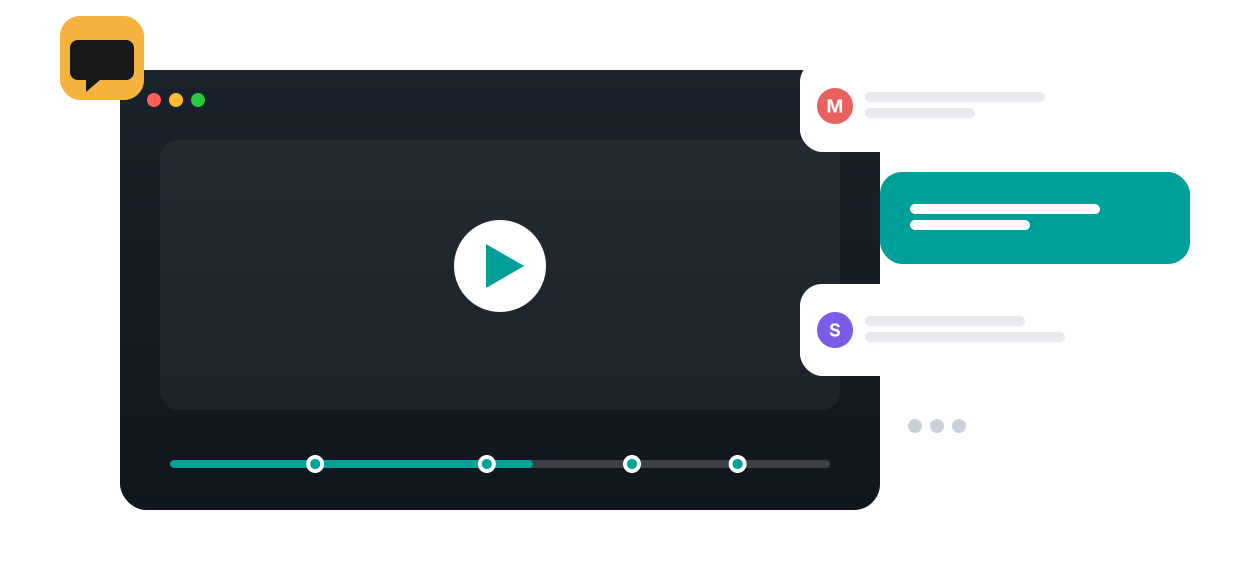
Group Chat in Annoto, shown on a course video
Learn more: Where group chat fits alongside timeline discussion
GROUP CHAT

Where Group Chat Fits Alongside Timeline Discussion

Timeline comments answer questions about a specific second of video. Group chat handles everything else: coordinating a project, asking a quick question before a deadline, and the ordinary back-and-forth that makes a class feel like a group of people rather than a list of enrollments. Annoto provides both in the same layer, so conversation never has to leave the course.

Chat that lives with the course video

Group chat gives a course or a smaller team a shared conversation space right where its videos live. Learners talk while they watch or between sessions, without switching to an external messaging app that the instructor cannot see and half the class never joins. Because Annoto runs inside Canvas, Moodle, Blackboard, Brightspace, and Open edX through LTI 1.3, and on top of Kaltura, Panopto, Wistia, YouTube, and Vimeo players, the chat is simply there when the video is.

Where group chat fits in teaching

Study groups use it to work through a lecture series together, trading explanations as they go. Project teams coordinate video assignments in the same place they review the footage. Online cohorts use chat to recover the hallway conversation that fully remote courses lose, and shared viewing sessions gain a running conversation beside the screen. When a chat exchange turns into a real content question, it can move into a time-anchored thread where the answer stays attached to the video.

What chat adds to the engagement picture

For instructors, chat activity is a useful early signal of how alive a group is. A team that has gone quiet weeks before a project deadline is worth checking on, and Annoto's analytics place that participation next to watch behavior and discussion activity, with the activity feed keeping anchored conversation visible so nothing important stays buried in the stream.

Group chat rounds out an engagement layer that institutions worldwide use to make video courses social: chat for the group, discussions for the content, and analytics across all of it. Setup guidance is available at docs.annoto.net.

Chat in live cohort sessions

When a cohort watches together in real time, chat becomes the second channel of the session. A teaching assistant watches the stream while the instructor presents, answering quick questions immediately and parking the substantial ones for a pause. Learners who would never interrupt aloud will type, so the room hears from more of itself. Because the conversation sits beside the player rather than in a separate meeting tool, nothing has to be copied anywhere afterward: the session ends and the chat remains with the video as a record the cohort can scroll back through.

Moderation without heavy hands

Healthy chat starts with stated norms, not with deletion. Post the expectations once in week one, ideally three lines: stay on course topics, disagree with ideas rather than people, and take content questions to the timeline so answers stay findable. After that, most moderation is redirection. An instructor or TA who moves a good question into a time-anchored thread teaches the class where each kind of talk belongs. Genuinely problematic posts are rare in course spaces tied to real identities, and when they occur the instructor handles them through the same channels as any classroom conduct issue.

Keeping the room readable at scale

One chat for four hundred students is noise; the same students in project teams or sections of manageable size produce conversation people actually read. Large courses therefore work best when chat follows the existing group structure, with TAs distributed across groups rather than watching a single firehose. A weekly prompt from the teaching team, one question tied to that week's video, is usually enough to keep quiet groups moving without making the instructor the center of every exchange.

Why it works

Built for how people actually learn

Real-time & social
A live chat channel tied to the video builds cohort community.
Peer support
Learners help each other in the moment instead of waiting on email.
Instructor & TA presence
Pin answers and address the whole group where they already are.
How it works

From video to active learning in three steps

1
Open chat on the video
A shared channel sits beside the player for the whole cohort.
2
Learners talk as they watch
Questions, study help, and encouragement happen in real time.
3
Pin what matters
Instructors and TAs pin key answers so nobody misses them.
The impact

Numbers that hold up

88%
Learners who collaborated in documented Annoto cohorts
Annoto case studies
Belonging
Social presence raises persistence and satisfaction online
Community of Inquiry research
−50%
Mind-wandering when learners are active, not passive
Szpunar et al., PNAS 2013
See the research →
Dr. Elaine Hoter, Talpiot College MOOC
In their words
“Watching videos can be a lonely experience. Using Annoto made the students become active and reflect on the material.”
Dr. Elaine Hoter
Project Leader · Talpiot College MOOC
Read the case study →
FAQ

Group Chat, answered

Is chat live or threaded?
Live for the cohort, with the ability to pin and reference key messages.
Can I moderate the chat?
Yes — moderation, pinning, and anonymity controls are built in.
Does it work on mobile?
Yes, Annoto works across devices alongside your LMS.
Is chat tied to a specific video?
Yes — the conversation lives with the video it's about.
Can TAs help moderate?
Yes — assign roles so TAs can pin and respond.

See it on your own course video

Book a 20-minute demo and watch group chat work inside your LMS, on your own content.