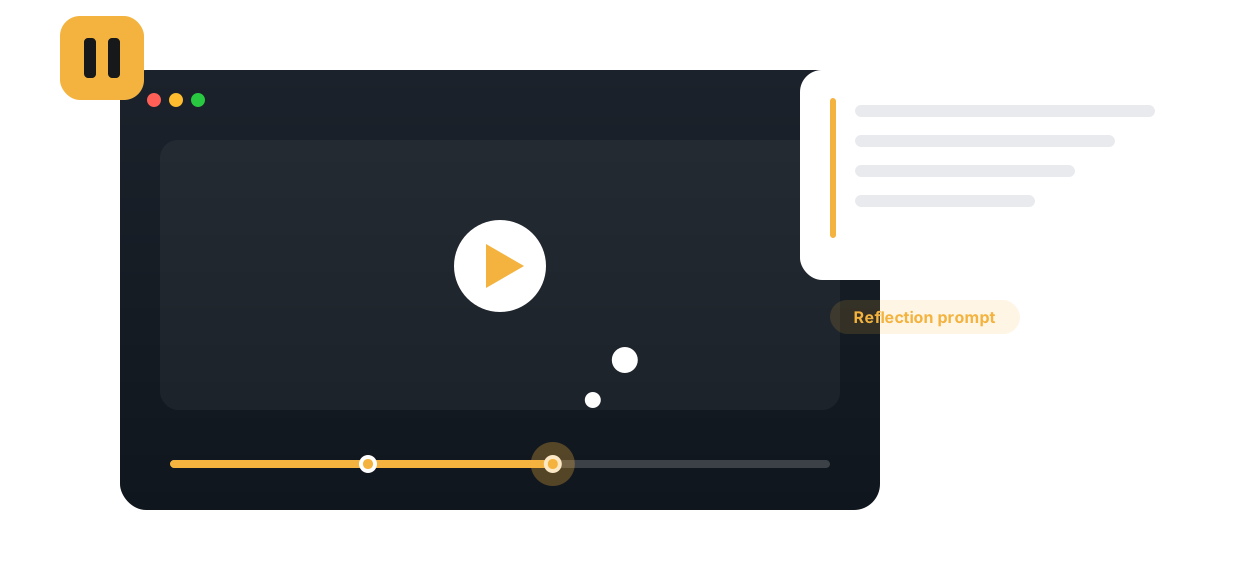
Insert a reflection prompt at any moment. Learners stop, respond in their own words, and metacognition becomes part of the watch — not an afterthought.

A reflection point is a prompt placed at a specific moment in a video. When playback reaches it, the video pauses and asks the learner to respond: what would you do next, why did this approach fail, summarize the argument so far. The learner writes a short answer before continuing, which turns passive viewing into deliberate processing at exactly the moment it matters.
Instructors choose a timestamp, write the prompt, and decide whether responses stay private to the instructor or become visible to the group as a seeded discussion. Learners answer directly in the player, and every response is stored against the moment that prompted it. Annoto delivers this inside Canvas, Moodle, Blackboard, Brightspace, and Open edX through LTI 1.3, on top of Kaltura, Panopto, Wistia, YouTube, and Vimeo players, so reflection happens where the course already lives.
In teacher education, students watch classroom recordings and pause to examine the decisions a teacher just made. In nursing programs, a clinical scenario stops before the intervention and asks what the student would do. In communication courses, a speech pauses mid-argument for analysis. Even in a standard lecture course, placing a reflection point at each conceptual boundary breaks a long video into segments that demand attention rather than tolerate drift.
Reading a full set of responses to the same prompt shows the true range of understanding in a cohort, weeks before an exam would. Misconceptions surface in the students' own words, anchored to the content that produced them. Completion and gradebook sync can count reflections toward participation in the LMS, and Annoto's analytics show whether the pauses change how learners watch the rest of the video.
Reflection points complement in-video quizzes: quizzes check whether learners got the right answer, while reflections expose their reasoning. Institutions worldwide use both together in Annoto's engagement layer. Prompt design guidance and setup instructions are available at docs.annoto.net.
The strongest prompts force a position before the video resolves it. Prediction works almost everywhere: stop before the result and ask what happens next, because a learner who has committed to an answer watches the resolution differently. Justification prompts, asking why rather than what, expose reasoning that multiple choice never reaches. Summary prompts earn their place at the end of dense segments. What rarely works is anything answerable with yes or no, and prompts longer than the pause they create; two sentences of setup and one clear question is usually the ceiling.
Reflection has a budget. One well-placed pause in a ten-minute video changes how the whole video is watched; five pauses teach learners to resent the player. A practical rule is to reserve reflection points for the moments where thinking actually forks, a decision, a failure, a transition between ideas, and let quizzes or plain watching carry the rest. Choose visibility by purpose as well: keep responses private when honesty matters more than exchange, and open them to the group when the range of answers is itself the lesson.
Responses repay a second use. Before the next live session, skim the set and pull two or three contrasting answers to open class with, anonymized, so students see their own thinking become the material. Replying at the timestamp to a pattern of confusion corrects it for every later viewer. Across a semester, a repeated prompt, asked in week two and again in week twelve, gives both sides rare evidence of growth in the students' own words. None of this requires grading each response; reading for patterns is enough, and it takes minutes per video.
Start with one video: a single prediction prompt at the moment students usually get lost. What they write decides where the next pause goes.

“A great tool to inject clarifying comments and emphasis at time-stamped moments throughout instructional videos.”
Book a 20-minute demo and watch reflection points work inside your LMS, on your own content.