Webinar Replays That Keep Working: Turning On Demand Views Into Conversation
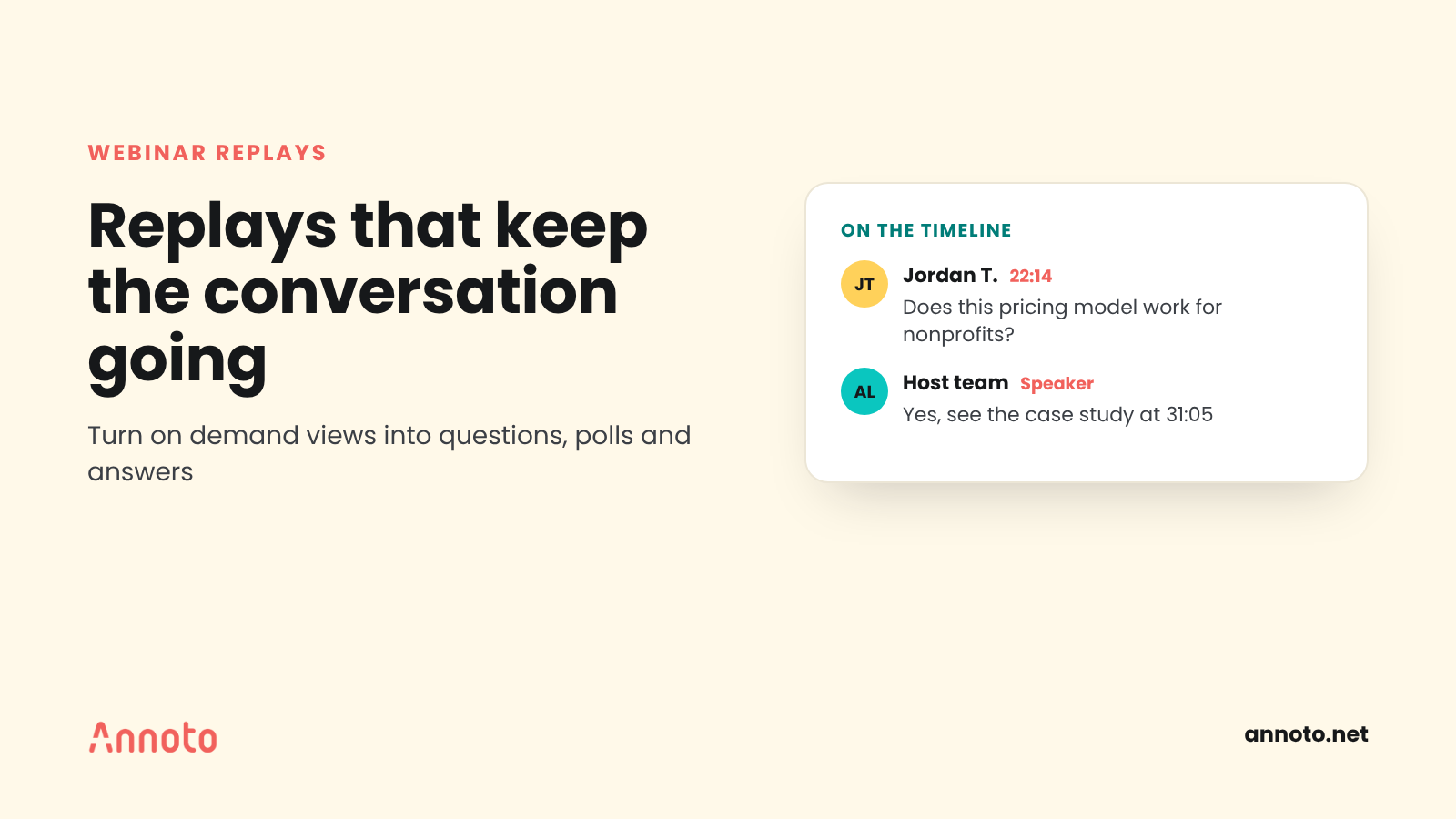
On demand webinar engagement depends on treating the replay as its own experience, not a copy of the live event. Trim and chapter the recording, add questions, polls and comments that replay viewers can respond to, keep someone answering for a set period, and follow up with links to specific moments. Replays keep getting views for months, so they deserve the same care as the live session.
Why does on demand webinar engagement matter?
On demand webinar engagement matters because a large share of your audience will only ever see the replay. The live hour is short; the recording keeps working long after.
The data supports this. ON24's 2025 Digital Engagement Benchmarks found that 45% of attendees chose to watch webinars on demand. Wistia's State of Video report says on demand webinars keep getting plays for up to 12 months after the live event, and that about a third are still drawing plays three months later.
The same Wistia report notes that on demand engagement is lower than live attendance and usually lands around 15 to 20%. In other words, the replay audience is real and lasting, but it is easy to lose. That gap is where replay design pays off.
What are webinar replay best practices?
The core webinar replay best practices are to edit for the viewer who was not there, make the recording easy to navigate, and give viewers a way to respond. A raw recording with a three minute "can everyone hear me?" opening signals that nobody expected you to watch it.
- Trim the dead air. Cut the waiting room, technical checks and housekeeping that only applied live.
- Add chapters. Name each segment so viewers can jump to the demo, the case study or the Q&A.
- Keep enough depth. Do not cut a replay down to a clip by default. Wistia found that replays of 31 to 45 minutes drew more than twice the engagement of those under 30 minutes, and that shorter webinars tend to underperform as replays.
- Caption it. Captions help viewers in noisy places, non native speakers and anyone using assistive technology.
- Replace live calls to action. "Type in the chat now" makes no sense on a replay. Swap it for a prompt that works on demand.
How do you turn on demand views into conversation?
Turn on demand views into conversation by placing interaction inside the video, at the moments that invite a response, and by answering what replay viewers say. Passive viewing is the default; conversation has to be designed in.
Bring the live Q&A forward
Post the questions asked live, with answers, as comments at the moment in the recording they relate to. Replay viewers see that real people asked, and they are more likely to add their own.
Open time stamped comments
Let viewers ask or comment at a specific moment. A question pinned to minute 22, where the speaker showed a pricing model, is easier to answer than a general email later. This is the same principle behind in context video discussion in learning settings.
Add polls and quick checks
A poll after a key section ("Which of these challenges sounds most like your team?") gives replay viewers a low effort way to participate, and gives you a signal about who they are. A short quiz works well for training style webinars. For more on why answering questions during a video helps people remember it, see in video quizzes and active recall.
Set an answer window and an owner
Name the person who answers replay questions and for how long, such as two weeks after the event and then weekly. Unanswered comments on a replay do more harm than no comments at all.
Several tools can support this. Annoto is one example: it adds time stamped discussions, polls and reactions and in video quizzes on top of video hosted on platforms such as Wistia, Vimeo or YouTube. Webinar platforms and Q&A tools offer their own options too; the principle matters more than the tool.
How do you build an evergreen webinar?
An evergreen webinar is a recording designed to stay useful long after the live date, with content that does not depend on the day it aired. Build one by removing time sensitive references, updating the surrounding page as things change, and keeping the conversation layer active.
A practical checklist:
- Remove dates, "this week" references and expired offers, or move them to the landing page where they are easy to update.
- Add a short written summary and chapter list next to the video for skimmers and search engines.
- Review the top comments and questions quarterly and pin the best answers.
- Retire or rerecord a segment once it is out of date instead of letting the whole replay go stale.
Reuse is already common. Wistia reports that almost 90% of teams reuse webinar content, most often by adding recordings to landing pages, followed by social clips, email and blog embeds.
What should webinar follow up include?
Good webinar follow up sends each person to the part of the recording that matches their situation, rather than a generic "here is the recording" email. Separate follow ups for attendees and registrants who missed it usually perform better than one message for all.
- For attendees: Link to the Q&A chapter and to answers for questions you did not reach live.
- For no shows: Lead with the single most useful segment and a link that starts the video at that moment.
- For replay viewers who interacted: Reply to their comment or poll answer and point them to a related resource.
Automation helps here. ON24's benchmarks found that automated nurture sequences drove 69% higher on demand attendance.
Which webinar metrics show replay engagement?
The webinar metrics that show replay engagement are replay viewers, average percent watched, drop off points, interactions per viewer and follow up actions. Registration and live attendance tell you about the event; these tell you about the asset.
- Replay viewers over time: Weekly views for at least three months, given how long replays keep drawing plays.
- Engagement rate: Wistia defines it as how much of a video people watch on average.
- Attention by moment: Where viewers drop, skip or rewatch.
- Interactions per 100 viewers: Comments, questions, poll responses and quiz attempts.
- Follow up actions: Clicks, demo or meeting requests, or course enrollments that came from the replay.
If your replays live inside a learning platform or member portal, an interactive layer with video analytics can show attention by moment and discussion activity alongside view counts.
Key takeaways
- A large share of webinar viewers watch on demand, and replays keep drawing plays for months.
- Edit replays for the viewer who was not there: trim, chapter, caption and replace live only calls to action.
- Do not over trim; longer replays often hold engagement better than very short cuts.
- Put conversation inside the video with time stamped questions, polls and an owner who answers.
- Measure replays as assets: views over time, attention by moment and interactions per viewer.
Media teams, associations and communities running webinars and member sessions can see how interactive replays work on our media and communities page.
Frequently asked questions
How long should a webinar replay be?
Long enough to keep the substance. Wistia found replays of 31 to 45 minutes drew more than twice the engagement of those under 30 minutes. Trim dead air and live only housekeeping, but do not cut the content down to a highlight reel by default.
How long do webinar replays keep getting views?
According to Wistia's State of Video report, on demand webinars can keep drawing plays for up to 12 months, and about a third still get plays three months after the live event. Plan your follow up and moderation with that timeline in mind.
How do you get replay viewers to interact?
Give them something to respond to at the right moment: a time stamped comment thread seeded with the live Q&A, a poll after a key section or a short quiz. Then make sure someone answers their questions within a set window.
What is an evergreen webinar?
An evergreen webinar is a recording built to stay useful long after it first aired. It avoids time sensitive references, keeps a summary and chapters next to the video, and gets periodic reviews so comments, answers and outdated segments stay current.
