Nova Southeastern University: An Effective, Easy-To-Use Learning Tool

Background
Integrated Pharmacy Applications III is part of a five-course series designed to prepare students for Evidence-Based Practice courses. Course instructor Dr. Genevieve Hale shares how Annoto enables delivering complex pharmacoeconomics concepts to students across multiple campuses while ensuring high engagement and comprehension.
At a glance
- Institution: Nova Southeastern University (NSU Florida)
- Course: Integrated Pharmacy Applications III
- Instructor: Dr. Genevieve Hale, Associate Professor; Vice Chair, Palm Beach Campus
- Class size: 214
- LMS: Canvas
- Use case: Graded in-video quizzes
Challenge
Dr. Genevieve Hale needed an efficient way to assess students’ understanding and provide interactive, engaging content — especially while she was on maternity leave.
Before Annoto I would have used Kaltura to make an online lecture video. However, these videos did not include asking pop-up questions, and neither grading students.
— Dr. Genevieve Hale

Solution: Annoto’s interactive video quizzing
Annoto allowed me to easily and quickly assess my students, even when I was not physically present.
— Dr. Genevieve Hale
By integrating Annoto into her course, Dr. Hale was able to:
- Deliver patient cases and quizzes directly within lecture videos.
- Allow students to learn at their own pace by rewatching content as needed.
- Automatically assess student understanding, instantly, through pop-up questions.
- Ensure a seamless learning experience while she was away, without requiring a substitute instructor.

The Annoto dashboard as a facilitating tool
The Annoto dashboard provides analytics on students’ performance throughout the course, as well as on content consumption and the level of the quiz questions.
It is extremely user friendly in my opinion.
— Dr. Genevieve Hale
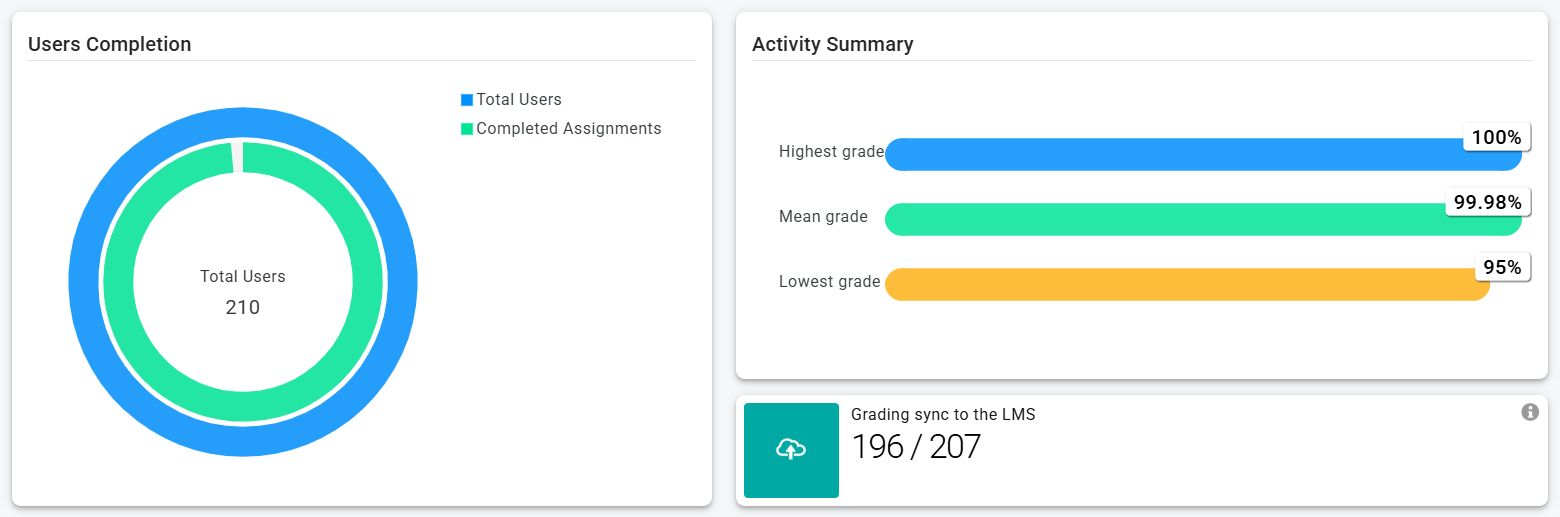
Across 210 active users, the class posted a highest grade of 100%, a mean grade of 99.98%, and a lowest grade of 95% — with grading syncing straight back to the LMS.
Impact
Dr. Hale found that Annoto significantly enhanced both the teaching and learning experience:
- Effortless assessment & feedback — “Annoto allowed me to quickly and easily assess my students while providing real-time feedback—something I couldn’t do with Kaltura alone.”
- Seamless student experience — “Students appreciated being able to revisit lecture content at their own speed without worrying about additional technology.”
- Flexibility for instructors — “Annoto solved a major challenge by ensuring students received the same high-quality instruction while I was on maternity leave, without requiring a colleague to cover my course.”
- Consistent learning across campuses — “One of the biggest challenges in teaching multiple campuses is keeping everyone aligned. Annoto’s multifaceted platform creates a unified virtual classroom experience.”
What the instructor said
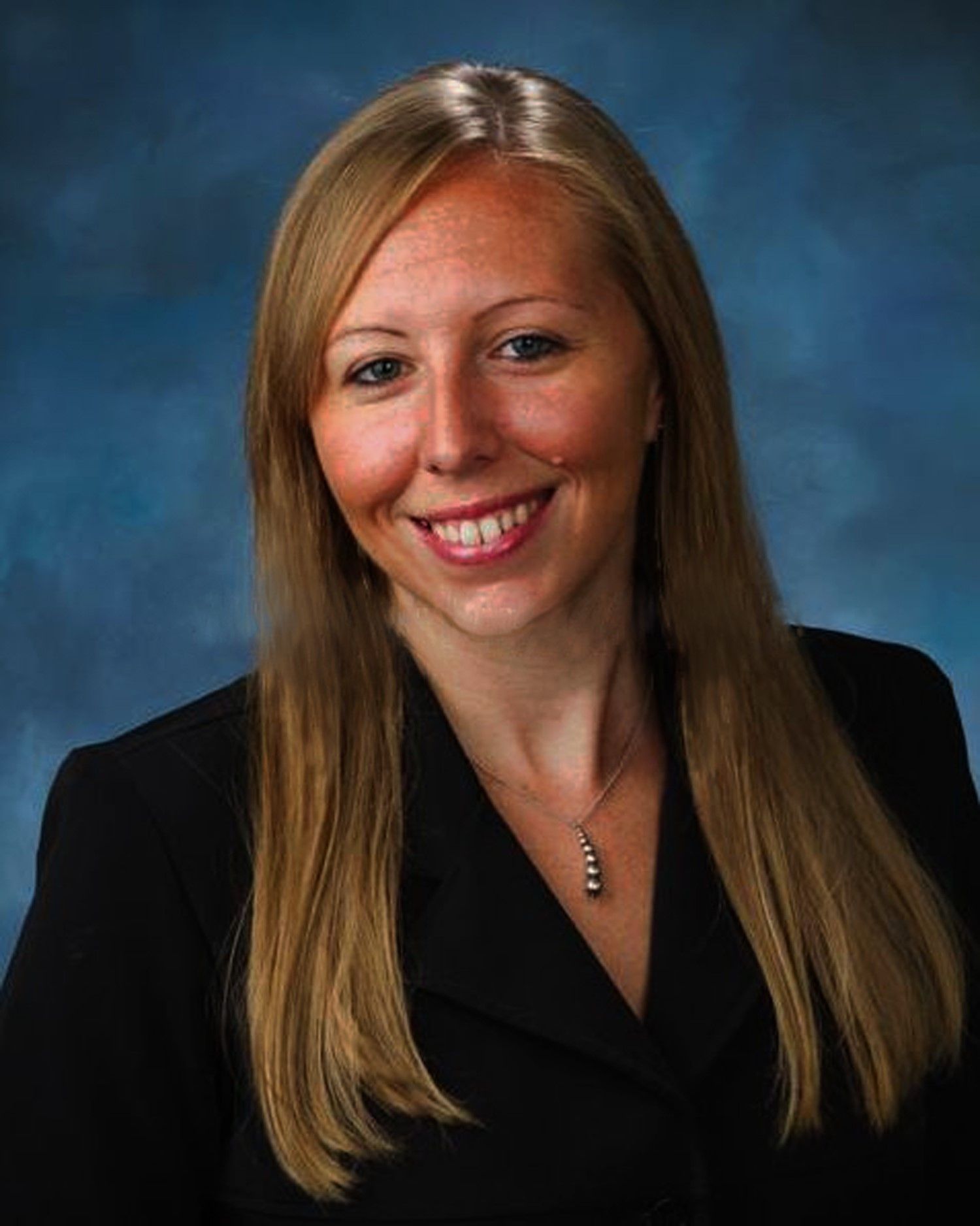
What I enjoy most about Annoto is its ease of use for both teachers and students, while still enabling the creation of valuable content and serving as an incredibly effective learning tool. I strongly encourage all teachers to trial Annoto. As education continues to move to flipped classrooms and virtual learning, this platform enables instructors to stay creative and updated with the current needs within pedagogy.
— Genevieve Hale, Associate Professor & Vice Chair, Palm Beach Campus
Practical takeaways for course teams
Dr. Hale’s experience points to a pattern other programs can reuse. Start with one course where comprehension is hard to verify, and convert existing lecture recordings into graded checkpoints instead of producing new media. Because Annoto runs inside Canvas via LTI on top of the Kaltura player NSU already used, the pilot required no new logins, no student training, and no change to video production.
Next, let the gradebook do the follow-up. When quiz results sync automatically to the LMS, instructors spend their time on students the analytics flag — those pausing, rewatching, or missing specific questions — rather than on manual grading. That is what made coverage during leave workable: the course kept assessing itself.
Finally, treat the dashboard as an early-warning system. Reviewing completion and question-level performance after each module shows which concepts deserve a follow-up session before the exam.
Keep reading
Related: Southern Utah University: Engagement In A Flight Management Systems Co, Gradebook Sync: Turning Engagement Into Grades Automatically, and LTI 1.3 Advantage: What to Demand From Every EdTech Tool.
New to Annoto? Start with What is Annoto?, or see it inside your LMS: Canvas, Moodle, Blackboard, and Brightspace.
