Annoto for Open edX: The Engagement, Assessment, and Insight Layers Video Is Missing
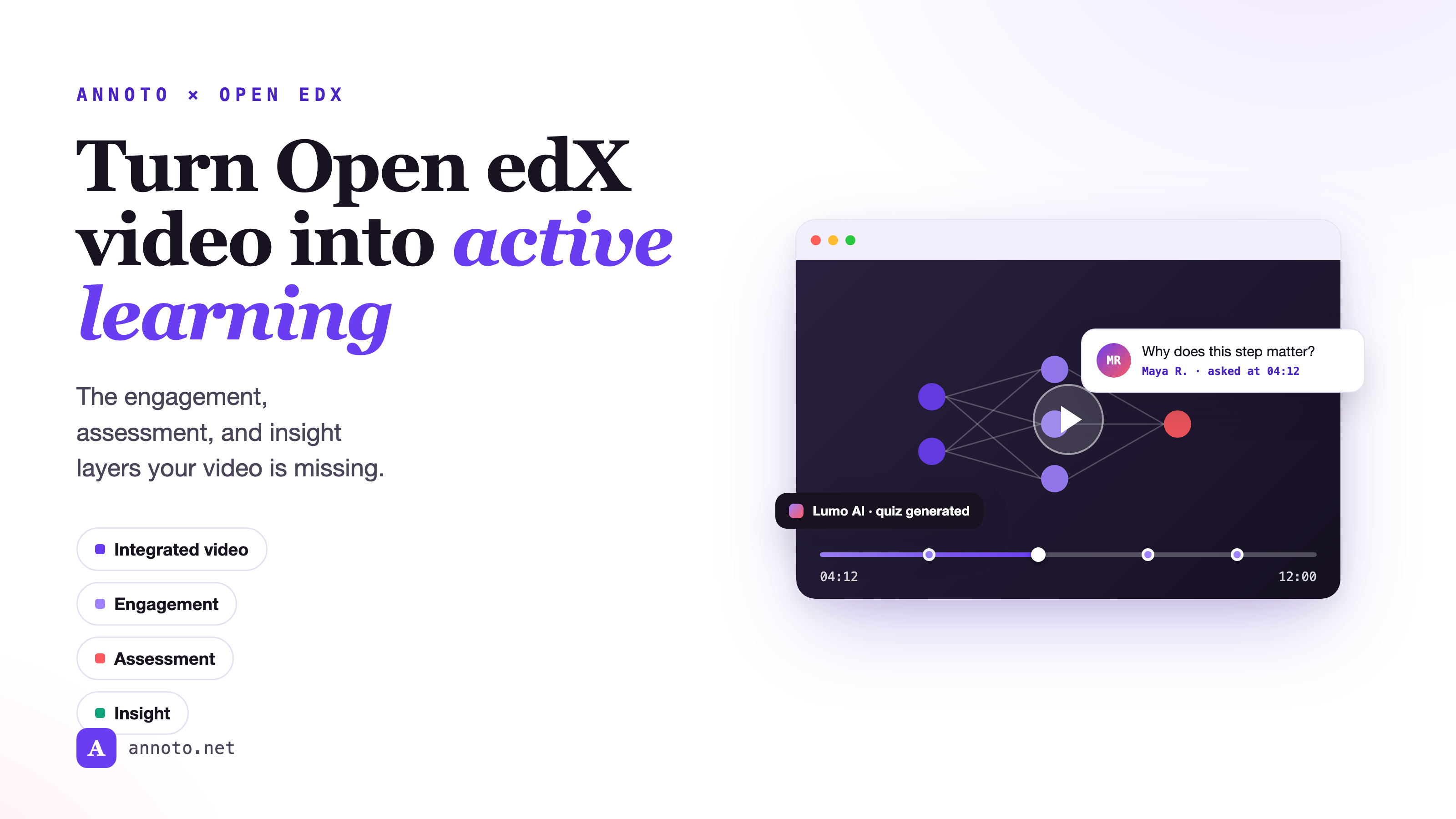
Open edX is one of the most capable learning platforms in the world. It structures courses, enrolls learners at scale, and ships a competent video player. But a video player is not a learning experience. Out of the box, an Open edX video is a one-way broadcast: it plays, the learner watches, and the platform records that a file was requested. Three things are missing, and they are the three that actually decide whether learning happens, engagement, assessment, and insight. Annoto adds all three on top of the video you already have, as a single integrated interactive-video layer that lives inside Open edX. Here is what each layer does, and why it belongs in the player rather than in a separate tab.
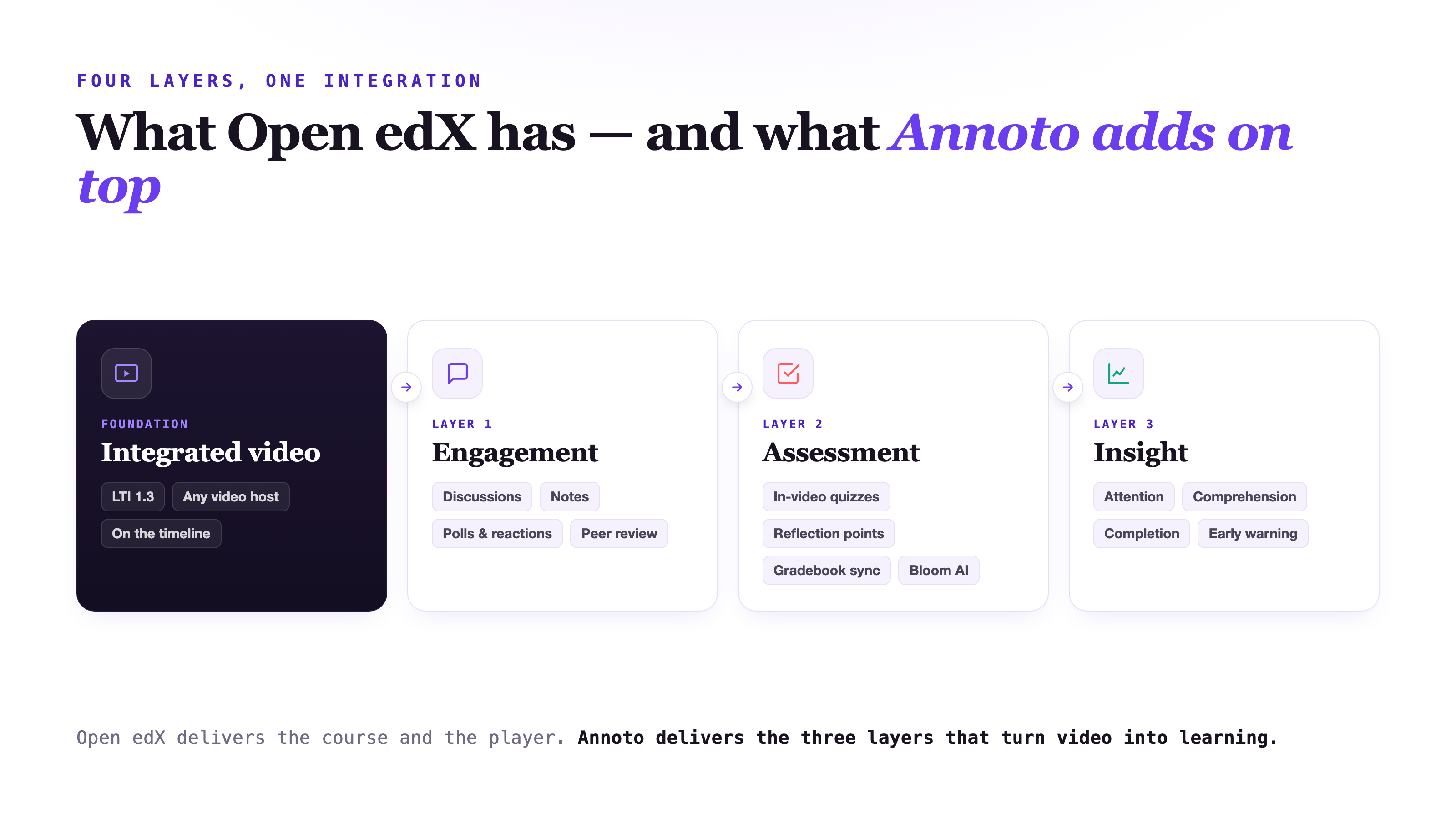
Open edX has the player. Annoto makes it a learning experience.
Annoto renders directly on the Open edX video through standards-based LTI 1.3 integration, so there is no new tool for learners to learn and nothing to re-author in Studio. It works on the video you already publish, whatever hosts it, YouTube, Vimeo, Brightcove, Kaltura, or your own CDN, because Annoto is built to sit on top of any video host. Everything a learner or instructor does is anchored to a timestamp, so a question, a note, or a quiz lives at the exact second it belongs to. That single design decision, putting the interaction on the timeline instead of beside it, is what turns a passive player into an active workspace.
Layer 1 — Engagement: turn watching into participating
The first thing missing from a plain video is other people. Self-paced learners watch alone, and that isolation is a well-documented driver of dropout. Annoto's engagement layer puts a social fabric directly on the video:
- Discussions and comments, threaded and pinned to the exact moment they refer to, so context is never lost in a separate forum.
- Notes and summaries, a private timestamped notebook each learner builds while watching and revisits before an exam.
- Polls and reactions that let a learner feel a crowd around them without writing a word.
- Peer review and voice comments, which lower the bar to participate and turn viewing into a two-way exchange.
Because participating is now a one-line note or a tap rather than a forum post, far more learners cross the line from passive to active, and active learners are the ones who finish.
Layer 2 — Assessment: turn video into evidence of learning
Watching feels like learning, but recognition is not recall. The assessment layer makes each video prove that it landed. In-video quizzes pause the clip at a chosen moment and ask the learner to retrieve and apply the idea while it is still fresh, the retrieval practice that cognitive science keeps pointing to as the thing that makes knowledge durable. Reflection points prompt learners to put a concept in their own words, and video assignments and skills assessment extend the same model to performance tasks. Every response flows straight to the Open edX gradebook through completion and gradebook sync, and doubles as documented, auditable evidence of interaction for compliance and Regular and Substantive Interaction requirements.
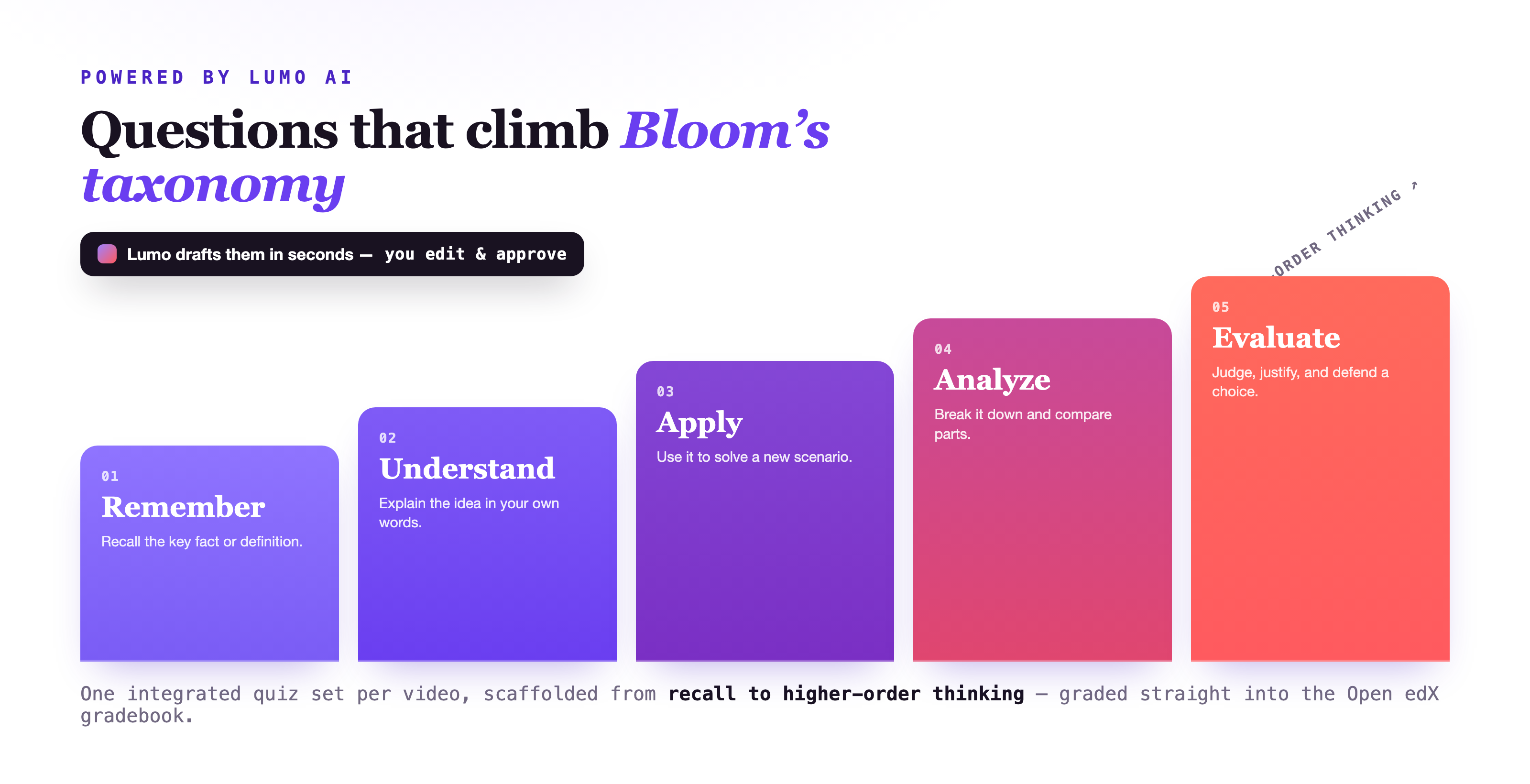
AI that scaffolds across Bloom's taxonomy
Writing good questions for every video is the work that stops most teams from doing it at all. Annoto's AI copilot, Lumo, removes that barrier. It reads the video and produces a first draft of auto-generated quizzes in seconds, and it scaffolds them across Bloom's taxonomy, moving deliberately from remember and understand, to apply and analyze, to evaluate. Instead of a flat set of recall questions, an instructor gets a graded ladder of cognitive demand they can edit and approve, so assessment tests understanding rather than memory, at a fraction of the authoring time.
Layer 3 — Insight: see what actually happened
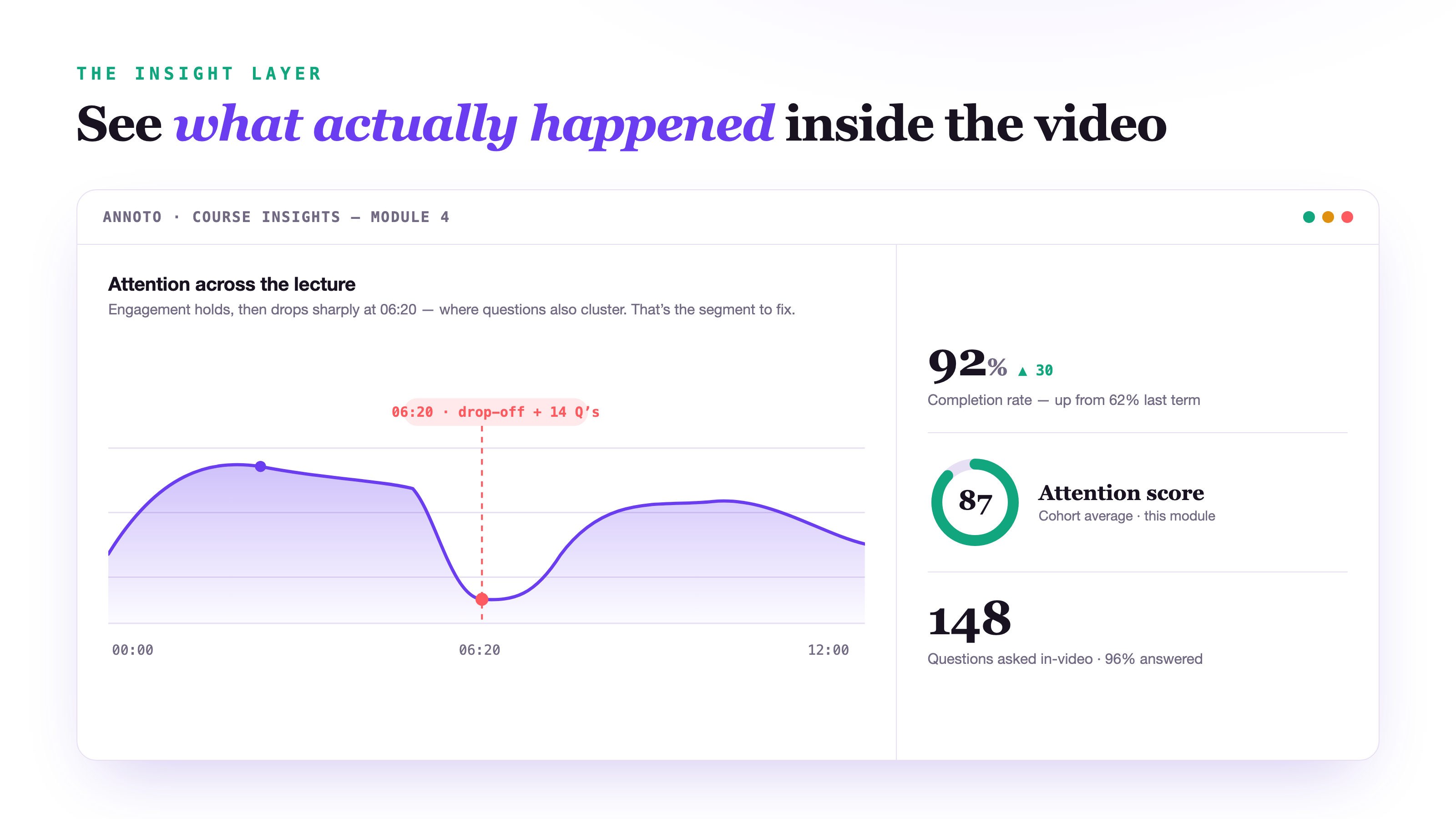
The final missing piece is on the instructor's side of the screen. Open edX can tell you that a video was played; it cannot tell you whether it worked. Annoto's analytics turn that one-way mirror into a window. Attention and comprehension are charted second by second, so you can see where a cohort leans in and where it disengages, and questions and quiz results cluster exactly where learners struggle. Completion data shows how far they actually got, and every signal is tied to a moment on the timeline rather than a total at the end.
The forum told us a video was watched. Annoto told us that everyone got lost at the same ninety seconds, and let the class fix it together, right there.
Read across the timeline, that dashboard is a work order. A sharp drop at 6:20 sitting on a cluster of questions is not a mystery to solve at the end of term; it is a fix to make this week, re-record ninety seconds, pin a clarifying note, or answer the thread once so every future cohort inherits the explanation. The same signals surface at-risk learners early, while an intervention still changes the outcome.
Why it feels native inside Open edX
All three layers ride on the identity and video infrastructure you already run. Single sign-on and roles come straight from Open edX, so learners, staff, and instructors are recognized automatically with no second login and no parallel roster, and a moderator badge in a discussion belongs to the same person who authored the course. The connection is standards-based LTI 1.3, the data is handled on a footing built for institutional security and trust, and nothing about the Studio authoring workflow changes. You enable Annoto, and the courses you already ship become interactive, assessed, and measurable.
Every learning journey, one integrated layer
The same four capabilities reshape very different journeys, which is why Annoto supports the full range of programs Open edX institutions run:
- Higher education and business schools, giving large cohorts the seminar feeling without the seats.
- STEM, nursing, teacher education, and communication courses, where practice, feedback, and skills assessment matter as much as content.
- Language learning, where voice comments turn every clip into pronunciation practice pinned to the exact phrase.
- K-12 schools, bringing structured, safe participation to younger learners.
- Corporate learning and enterprise training, proving that training was genuinely engaged with, not just left playing to a checkbox.
- Media and communities, extending the same engagement layer beyond the formal course.
And because the layer serves different people differently, there are dedicated paths for faculty, instructional designers, LMS and IT admins, and academic leaders, whether the priority is teaching, course design, deployment, or program-level outcomes.
The outcomes to expect
When participation is easy, assessment is built in, and instructors can see what is working, the numbers move together. In Annoto deployments, teams commonly report higher completion in collaborative courses, more questions asked and answered per lesson, and faster instructor response because those questions surface in context. Treat any specific figure as directional and measure your own, but the mechanism is not mysterious: engagement rises because participating is low-effort, assessment converts watching into durable memory, and insight gives instructors a feedback loop precise enough to act on.
That is the whole proposition. Open edX delivers the course and the video; Annoto delivers the engagement, the assessment, and the insight that turn video into learning, all inside the platform you already run. See it working on your own courses on the Annoto for Open edX page, or book a demo.
Keep reading
Related: ADA Title II 2027: Making Your Video Content Accessible in Time, Microlearning Meets Video: Short Clips That Actually Stick, and WashU: Boosting Peer Review With Time-Tagged Discussion.
New to Annoto? Start with What is Annoto?, or see it inside your LMS: Canvas, Moodle, Blackboard, and Brightspace.
